Help Center Menu
Claims - Grasshopper Labs Help Center

CATEGORIES

Freight
Export a Manifest
Roles: Freight

Step 1

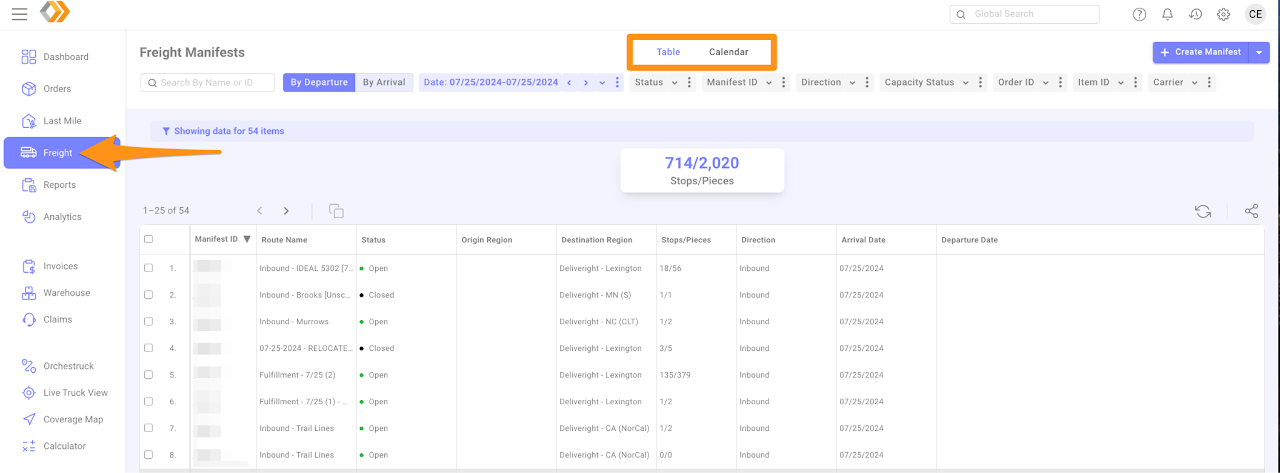
Click Freight and choose table or calendar (monthly) view
Export a Manifest

Step 2

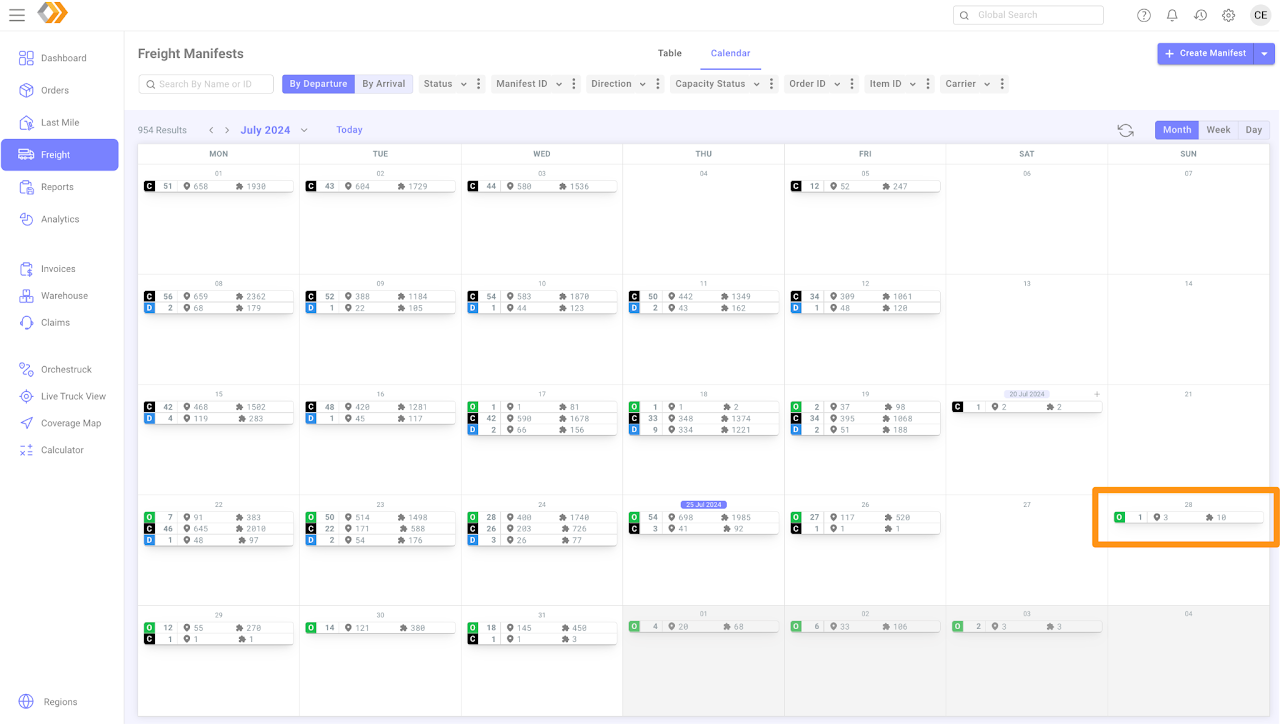
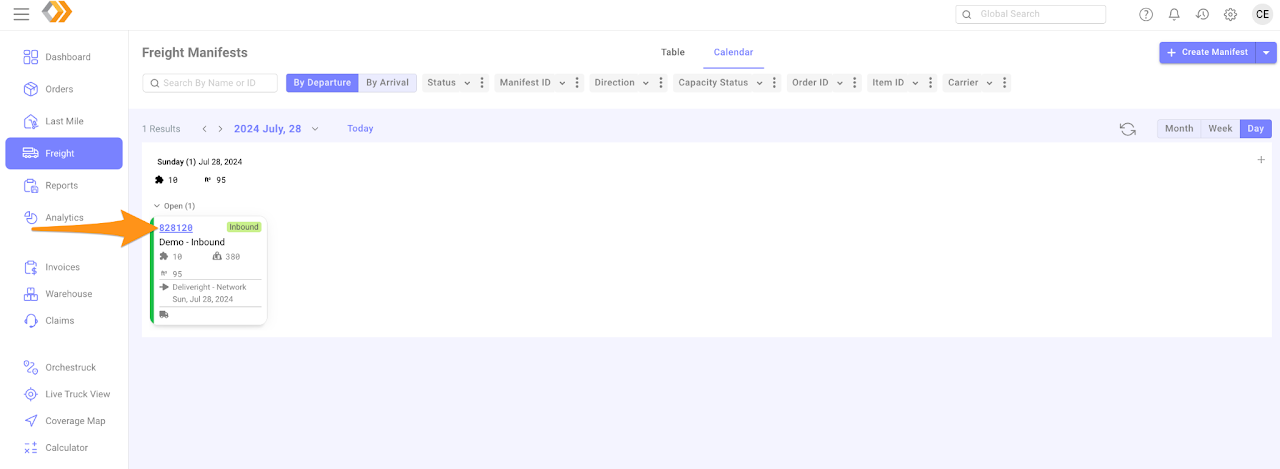
  • On a calendar view – go to date and select the manifest to open
Export a Manifest

Export a Manifest

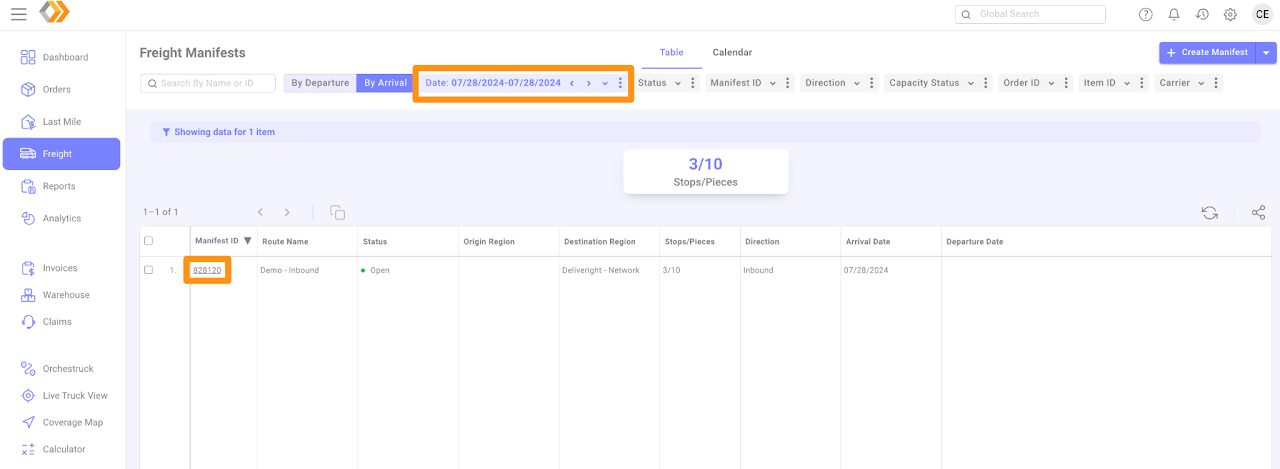
  • On a table view – go to date and select the manifest to open
Export a Manifest

Step 3

Click on the gear icon, select BOL’s & Export then Export Manifest – you may choose By Stop and By Item
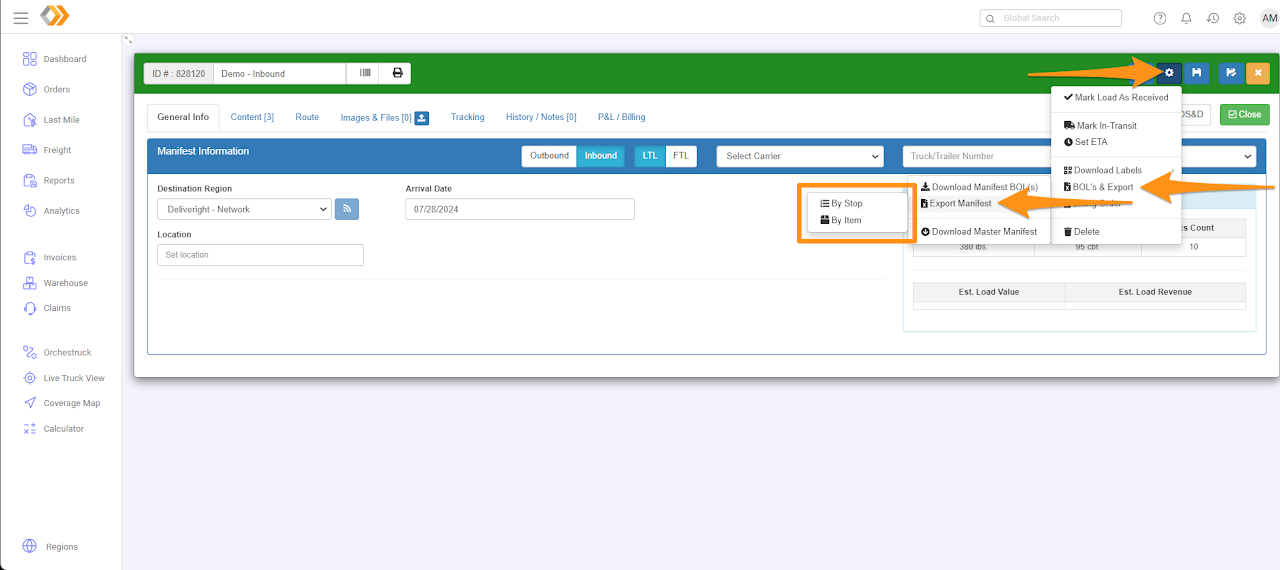
Export a Manifest

Was this article helpful?

Still stuck? Submit a ticket. and someone on the team will get back to you.

On This Page