Help Center Menu
Claims - Grasshopper Labs Help Center

CATEGORIES

Freight
Download BOL (Bill of Lading)
Roles: Freight

Step 1

Enter the Purchase Order Number or Grasshopper Order ID, click the order number

Download BOL (Bill of Lading)

Step 2

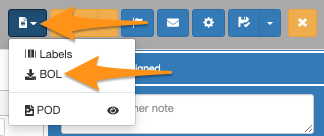
Click the dropdown menu on the page icon and select BOL
Download BOL (Bill of Lading)

Step 3

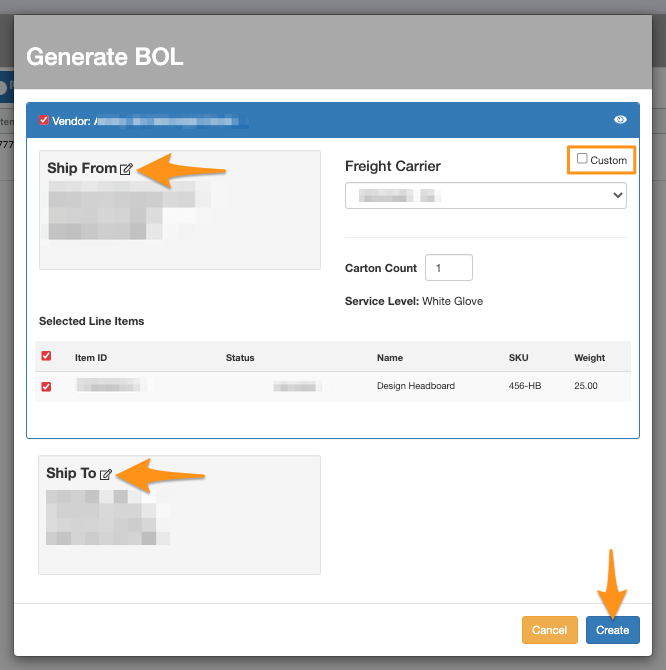
Click Create to generate the BOL

If you need to change the Ship From, Ship To or Freight Carrier, you may do so.
Download BOL (Bill of Lading)

Step 4

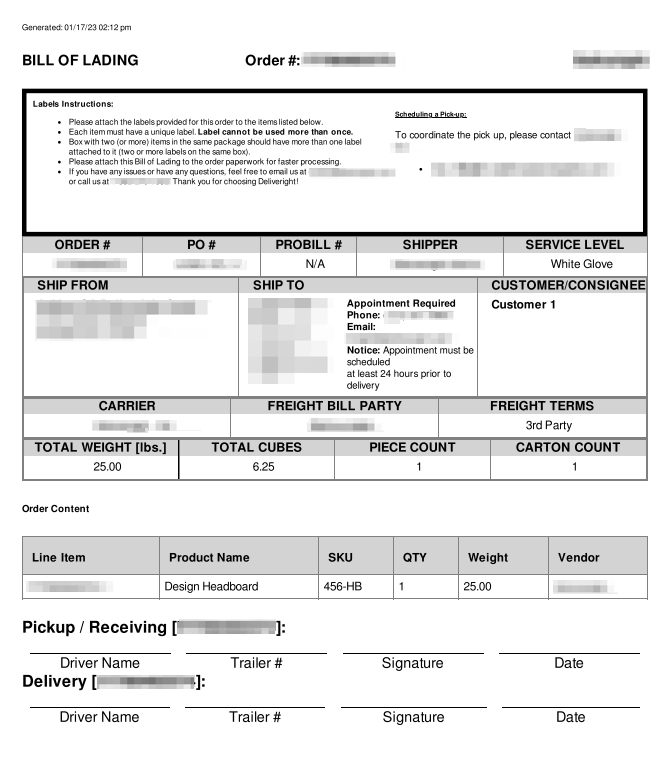
BOL will be downloaded

Download BOL (Bill of Lading)

Was this article helpful?

Still stuck? Submit a ticket. and someone on the team will get back to you.