Help Center Menu
Claims - Grasshopper Labs Help Center

CATEGORIES

Freight
Create an Outbound Manifest (Warehouse Pickup by a Carrier)
Roles: Freight

Step 1

Click Freight

Select the date for the Manifest and click +Outbound

Create an Outbound Manifest (Warehouse Pickup by a Carrier)

Step 2

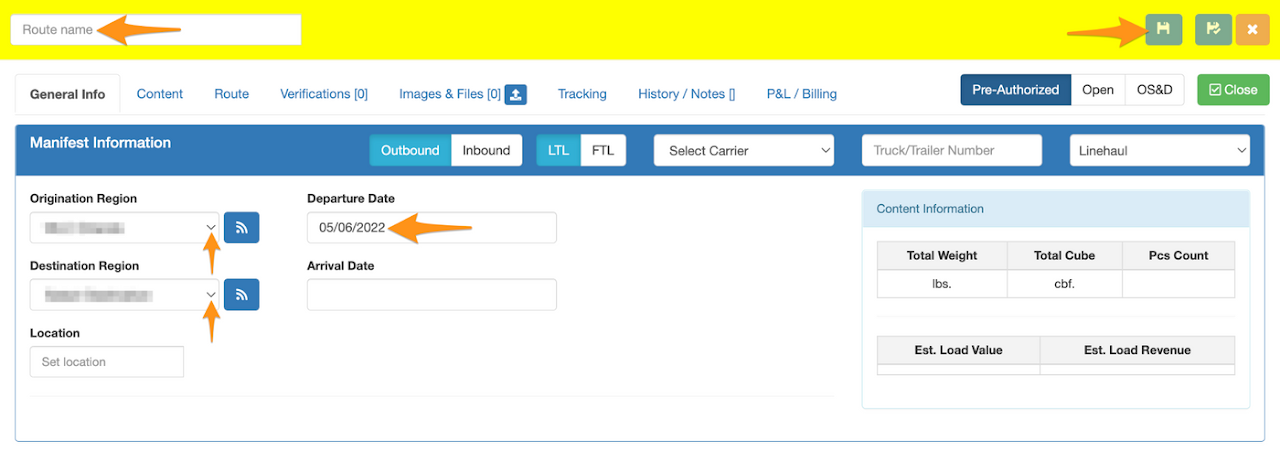
Enter the following required information the click Save

  • Route Name (Manifest Name)
  • Origination Region
  • Destination Region
  • Departure Date (Pick Up Date)
Create an Outbound Manifest (Warehouse Pickup by a Carrier)

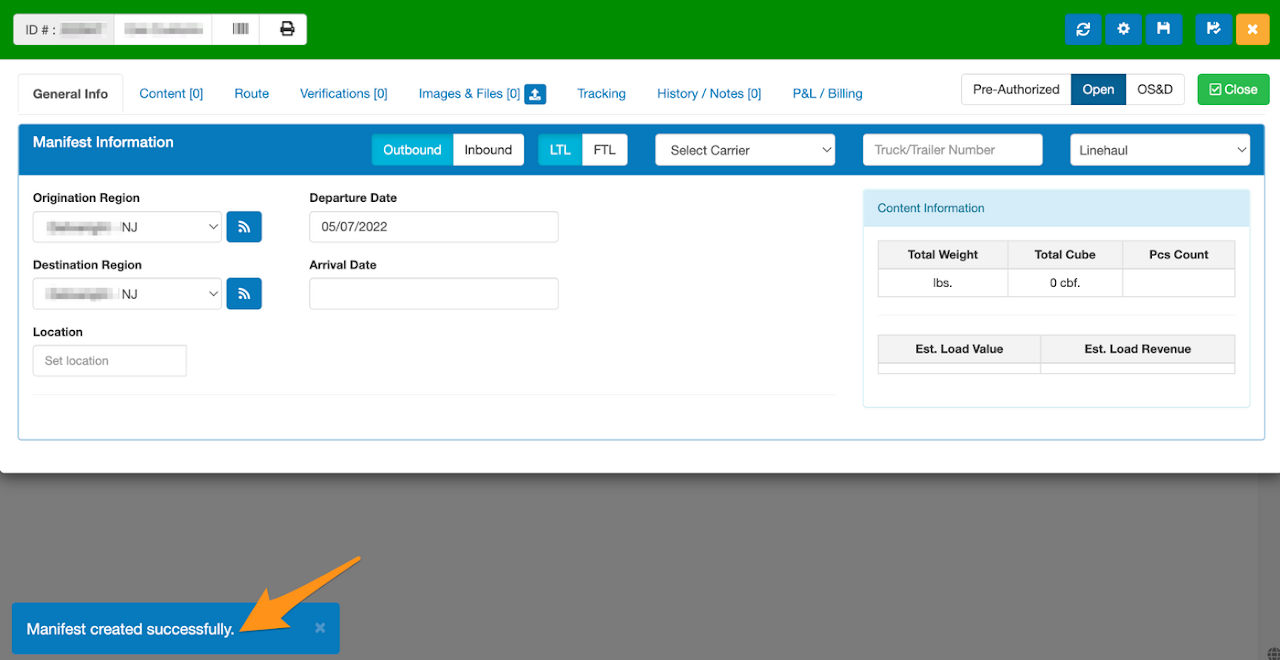
Confirmation that the Outbound Manifest is created successfully
Create an Outbound Manifest (Warehouse Pickup by a Carrier)

Step 3

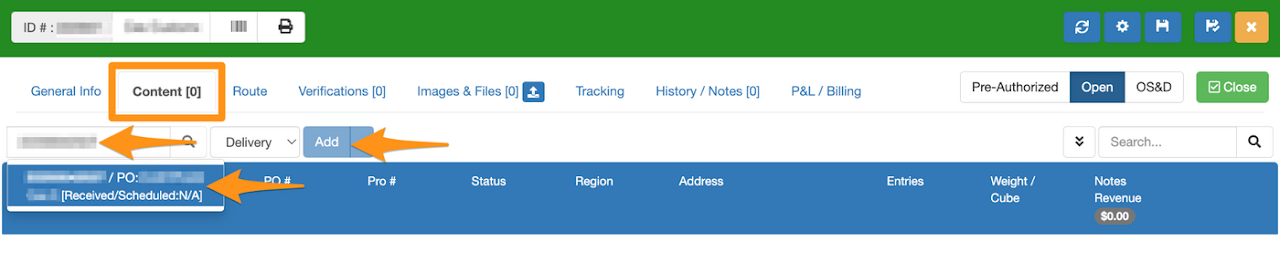
In the Content tab, enter the Grasshopper Order ID, Name or PO Number. Click on the order then Add.

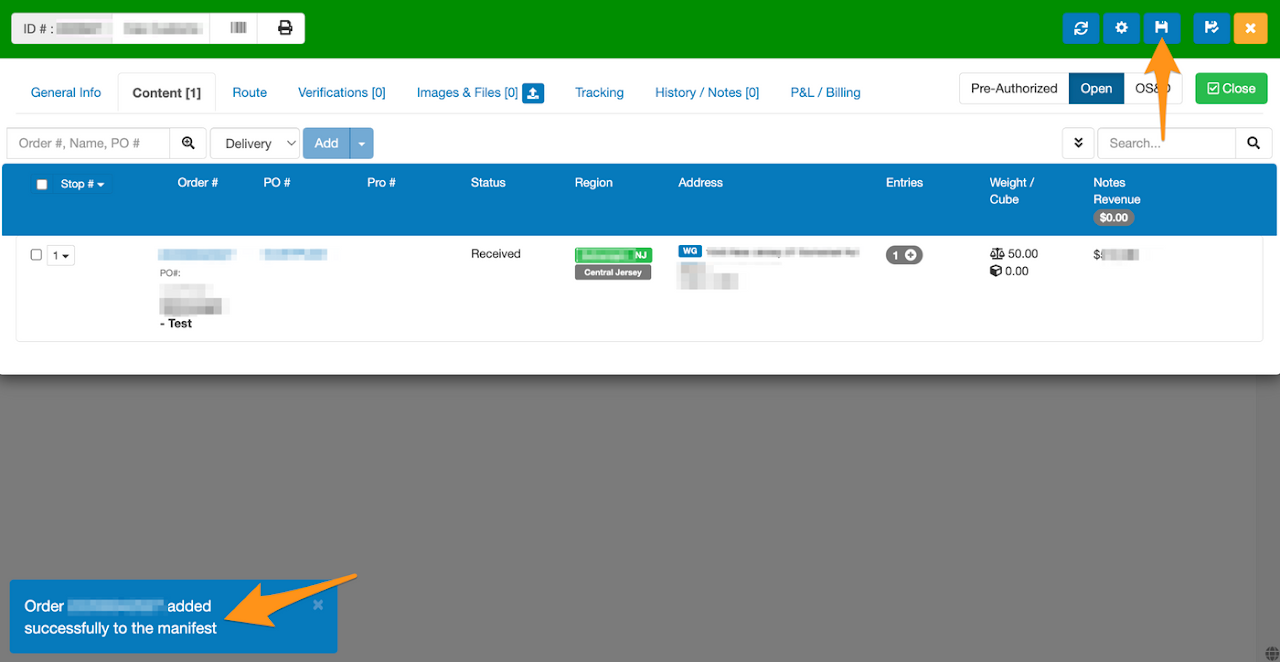
Click the disk icon to save.
Create an Outbound Manifest (Warehouse Pickup by a Carrier)

Order has been successfully added in the Outbound Manifest
Create an Outbound Manifest (Warehouse Pickup by a Carrier)

Step 4

Go back to the General Info tab and publish the manifest
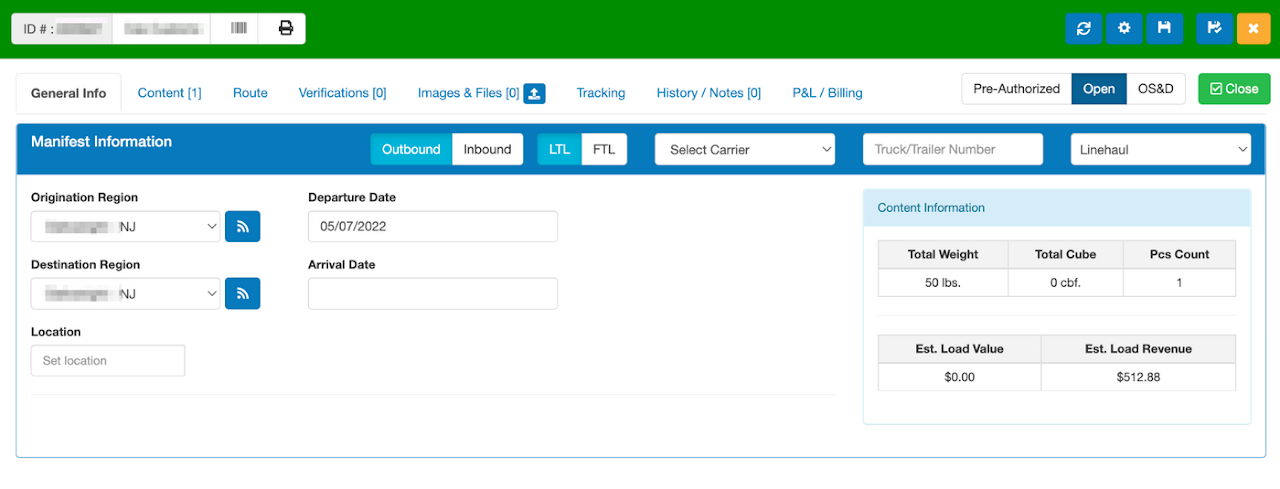
Create an Outbound Manifest (Warehouse Pickup by a Carrier)

Was this article helpful?

Still stuck? Submit a ticket. and someone on the team will get back to you.