
Help Center Menu
Claims - Grasshopper Labs Help Center
Freight
Calendar View for Inbound Freight Manifest
View inbound freight manifests using monthly calendar scheduling layouts.
Roles: Freight

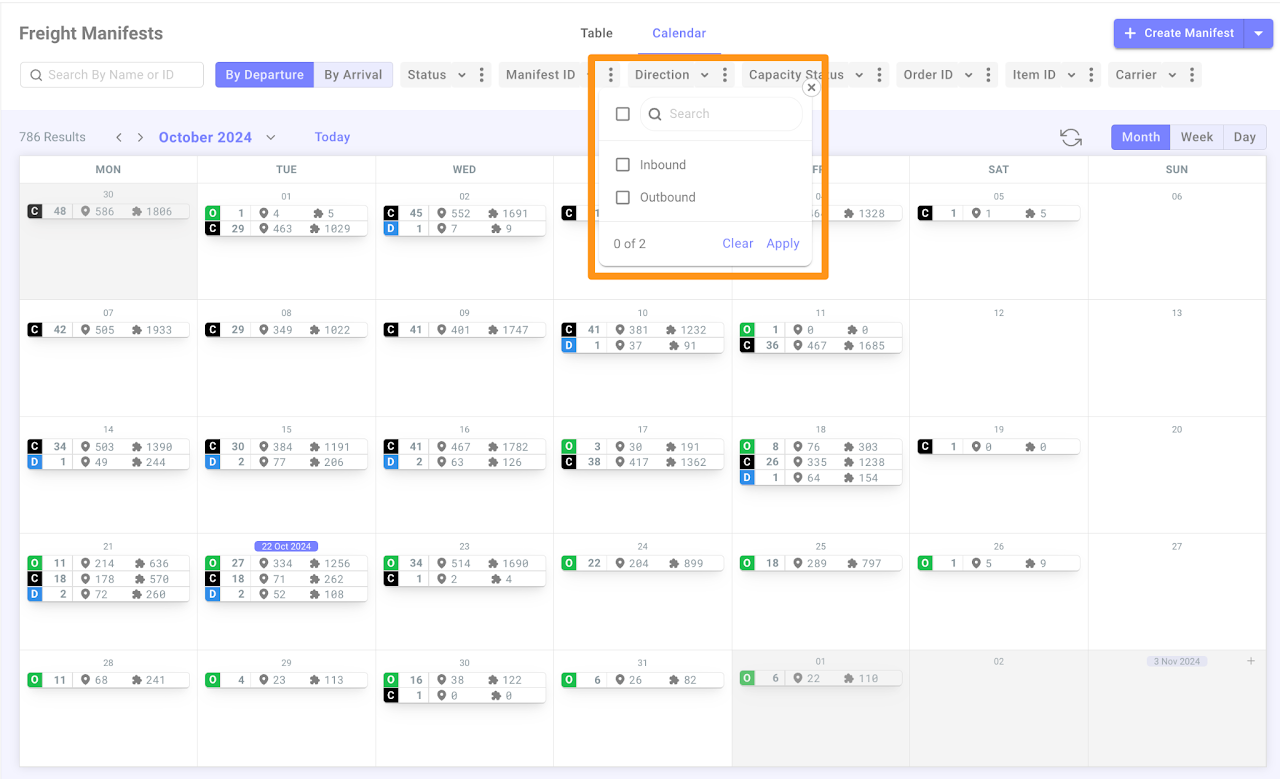
You can filter the manifest by selecting either Inbound or Outbound in the Manifest Filter – Direction
Calendar View for Inbound Freight Manifest

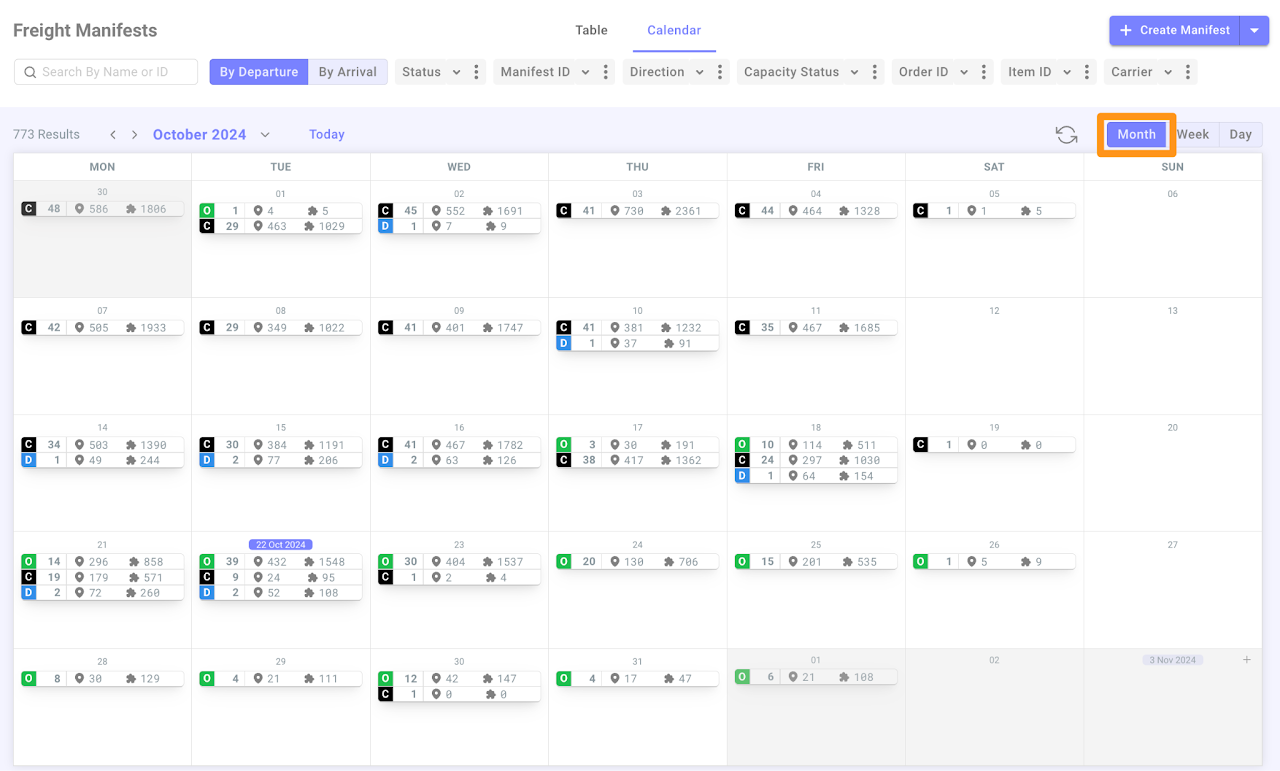
The new Calendar View groups Freight Manifests by their status in the Monthly calendar display.
Calendar View for Inbound Freight Manifest

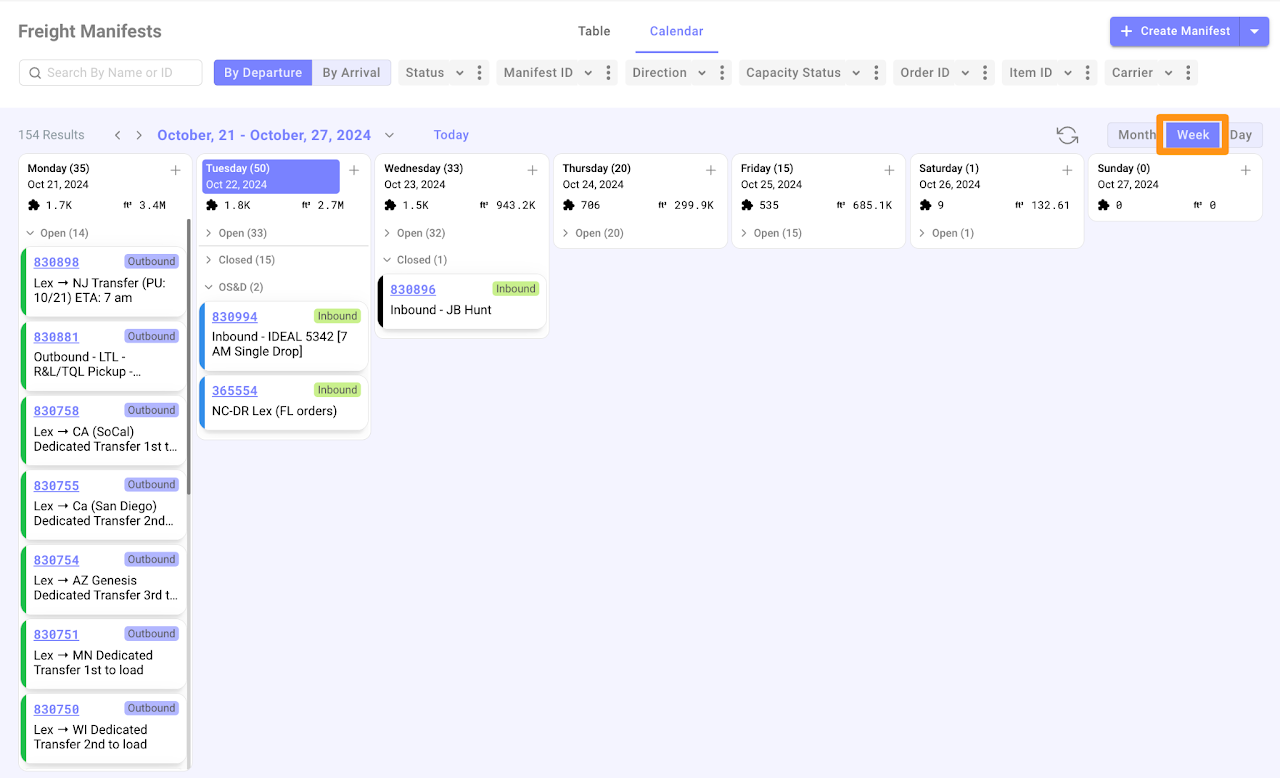
If you click on the Week view, it will display all Freight Manifests in this format.

You can collapse to hide or expand to display the manifests by the status you wish to see.
Calendar View for Inbound Freight Manifest

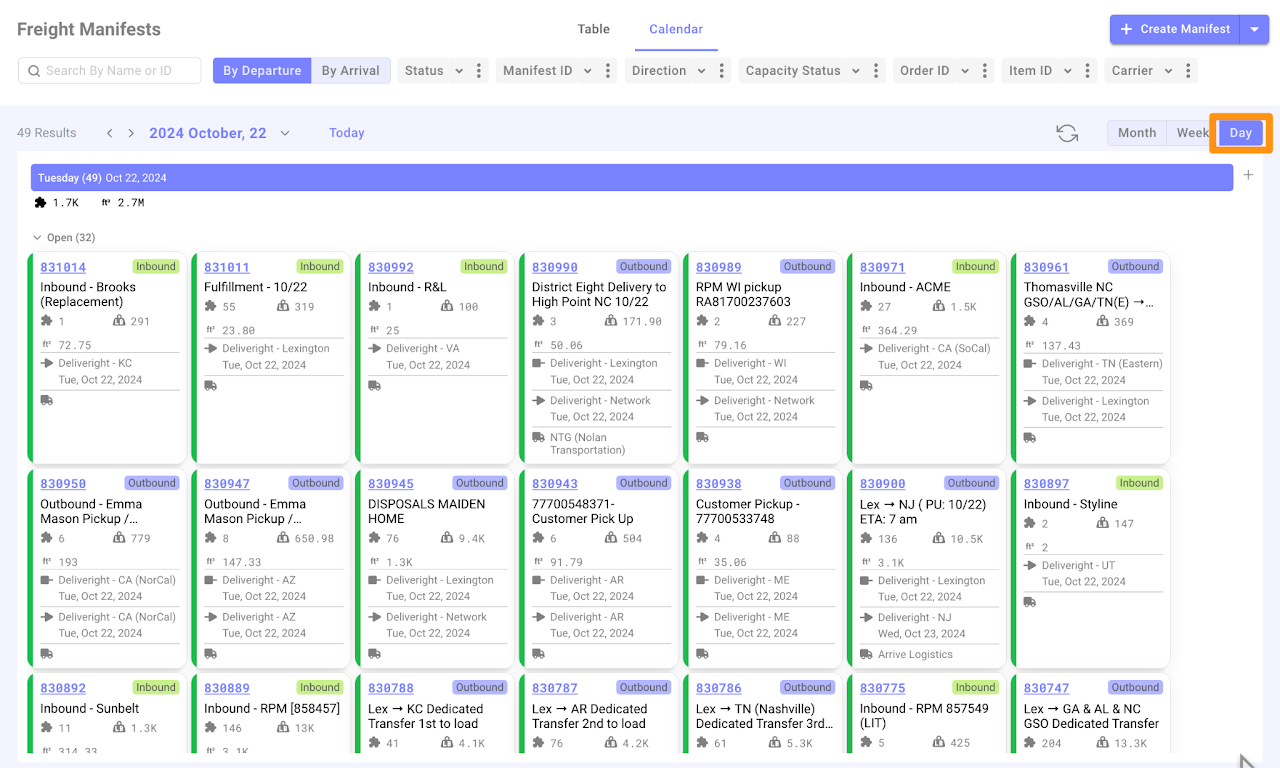
And this is how the view looks when set to Day mode.
Calendar View for Inbound Freight Manifest

Was this article helpful?

Still stuck? Submit a ticket. and someone on the team will get back to you.