Step 1
Enter the Purchase Order Number or Grasshopper Order ID, click the order number

Step 2
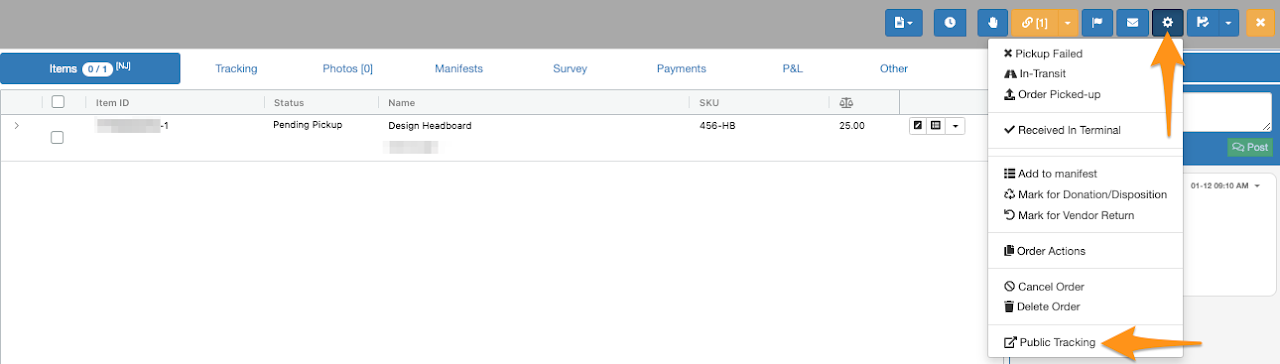
Click the gear icon then select Public Tracking
Step 3
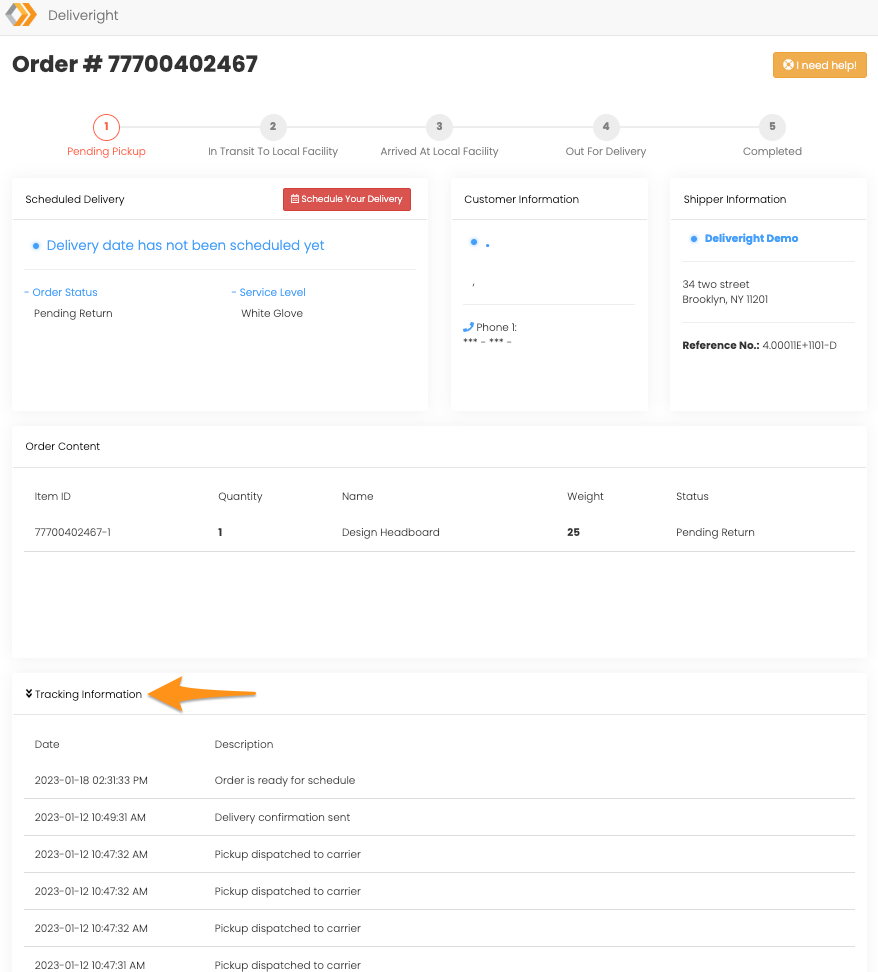
Click on the Tracking Information drop down icon to view the activities of the order

Enter the Purchase Order Number or Grasshopper Order ID, click the order number
Click the gear icon then select Public Tracking
Click on the Tracking Information drop down icon to view the activities of the order