Step 1
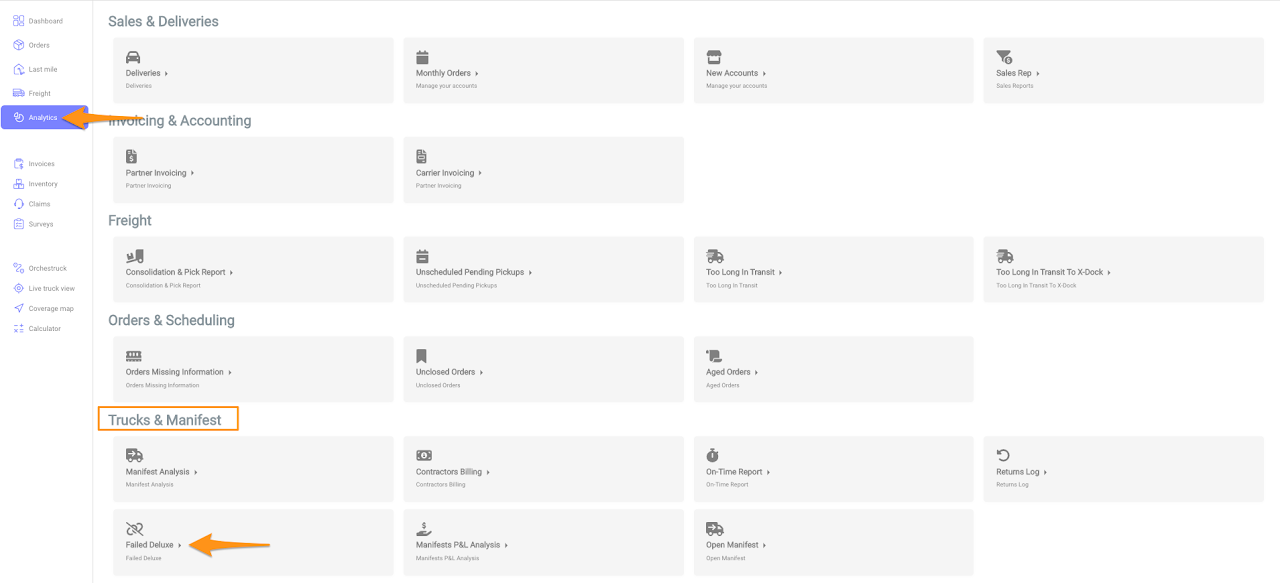
Click on the Analytics and select Failed Deluxe under Trucks & manifest
Step 2
Enter the required fields Date From, Date To, Region and Shipper then click Go


Click on the Analytics and select Failed Deluxe under Trucks & manifest
Enter the required fields Date From, Date To, Region and Shipper then click Go