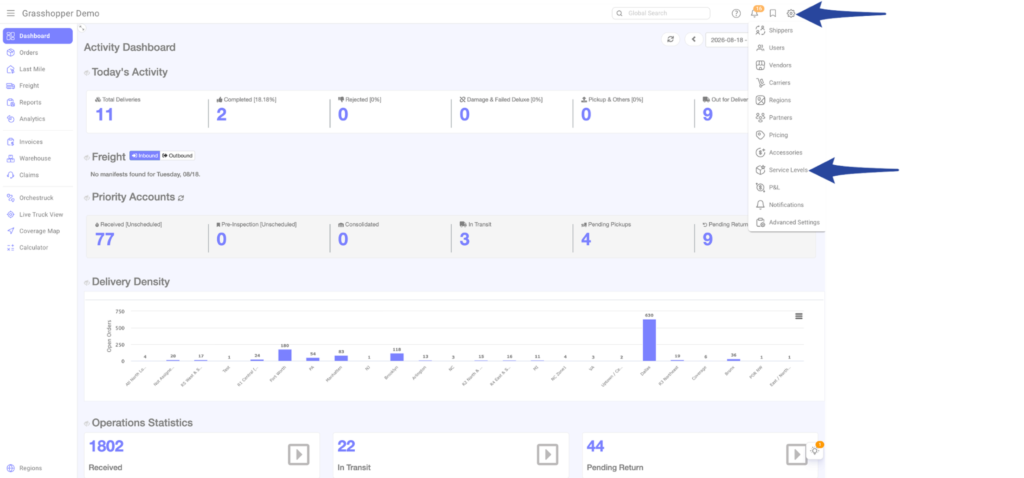
Step 1
Click the gear icon and select Service Levels from the list
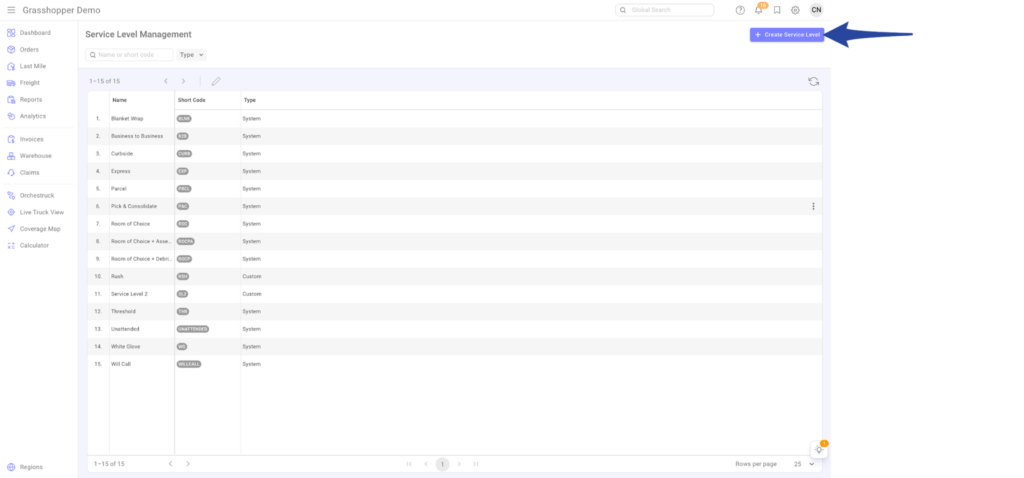
Step 2
Click +Create Service Level in the top-right corner.
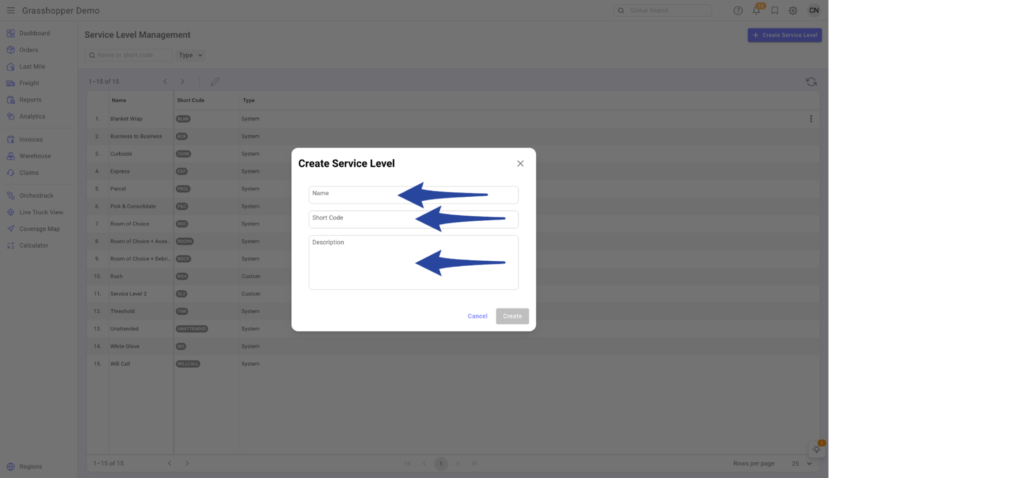
Step 3
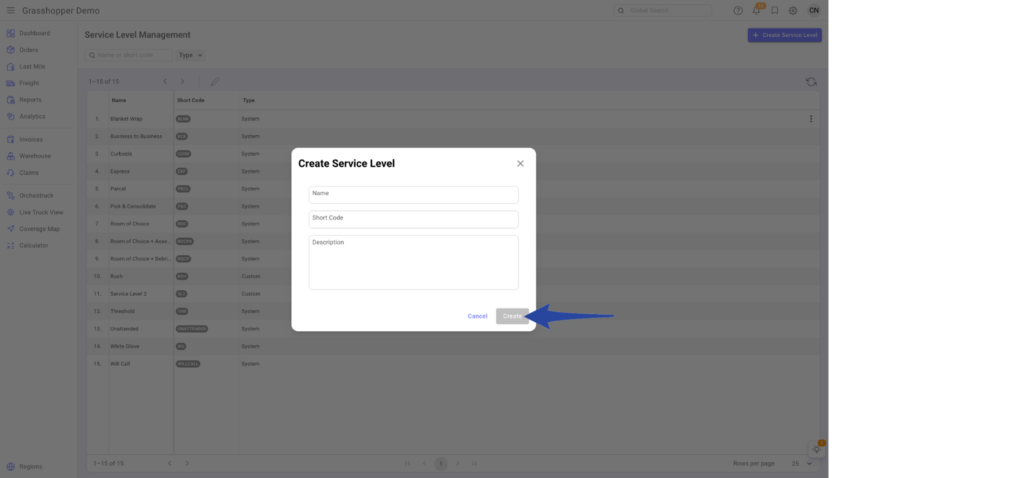
Enter the name of the service level
Example: Service Level 001
- Choose a Short Code that will represent the service level (must be 1-8 characters, lowercase and numbers only)
- Example: sl001
- Add a description explaining:
- What the service level is
- How it functions or is performed
Note: The shortcode is also used in the import template.
Step 4
Review the information entered and click Create
Confirmation that the customized Service Level has been successfully added.
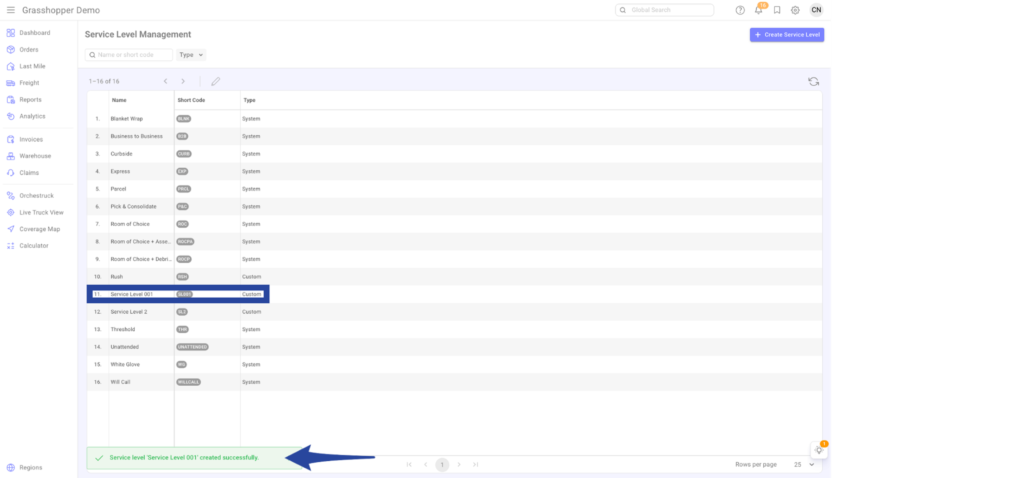
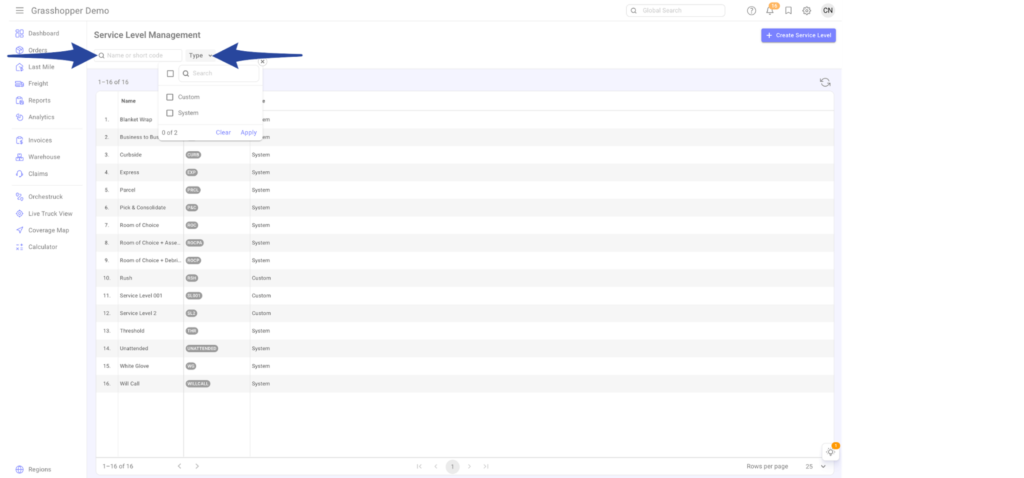
You can search for an existing Service Level by:
- Name
- Shortcode
You can also filter Service Levels by:
- Custom
- System Default