
Help Center Menu
Claims - Grasshopper Labs Help Center
Settings
Update User’s Access Rights
Modify user roles, permissions, and access privileges.
Roles: Settings

Step 1

Click on the gear icon and select Users
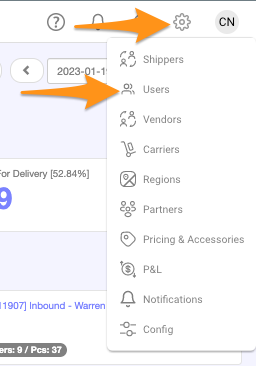
Update User's Access Rights

Step 2

Search for the user name and select/click

Update User's Access Rights

Step 3

Go to Account Security tab and check the functions you wish to apply under Access Rights
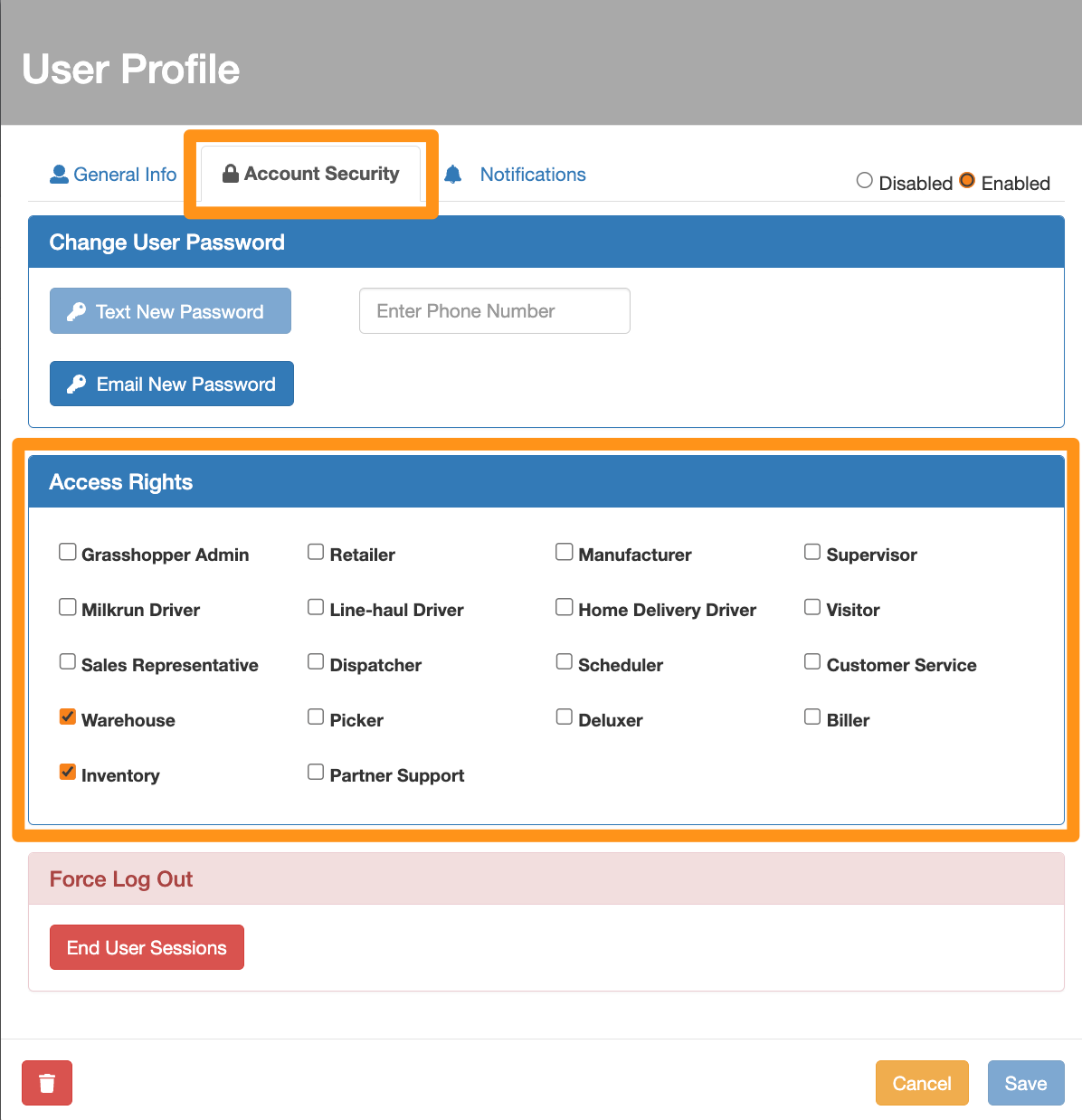
Update User's Access Rights

Step 4

Go back to General Info tab and click Save to apply the changes
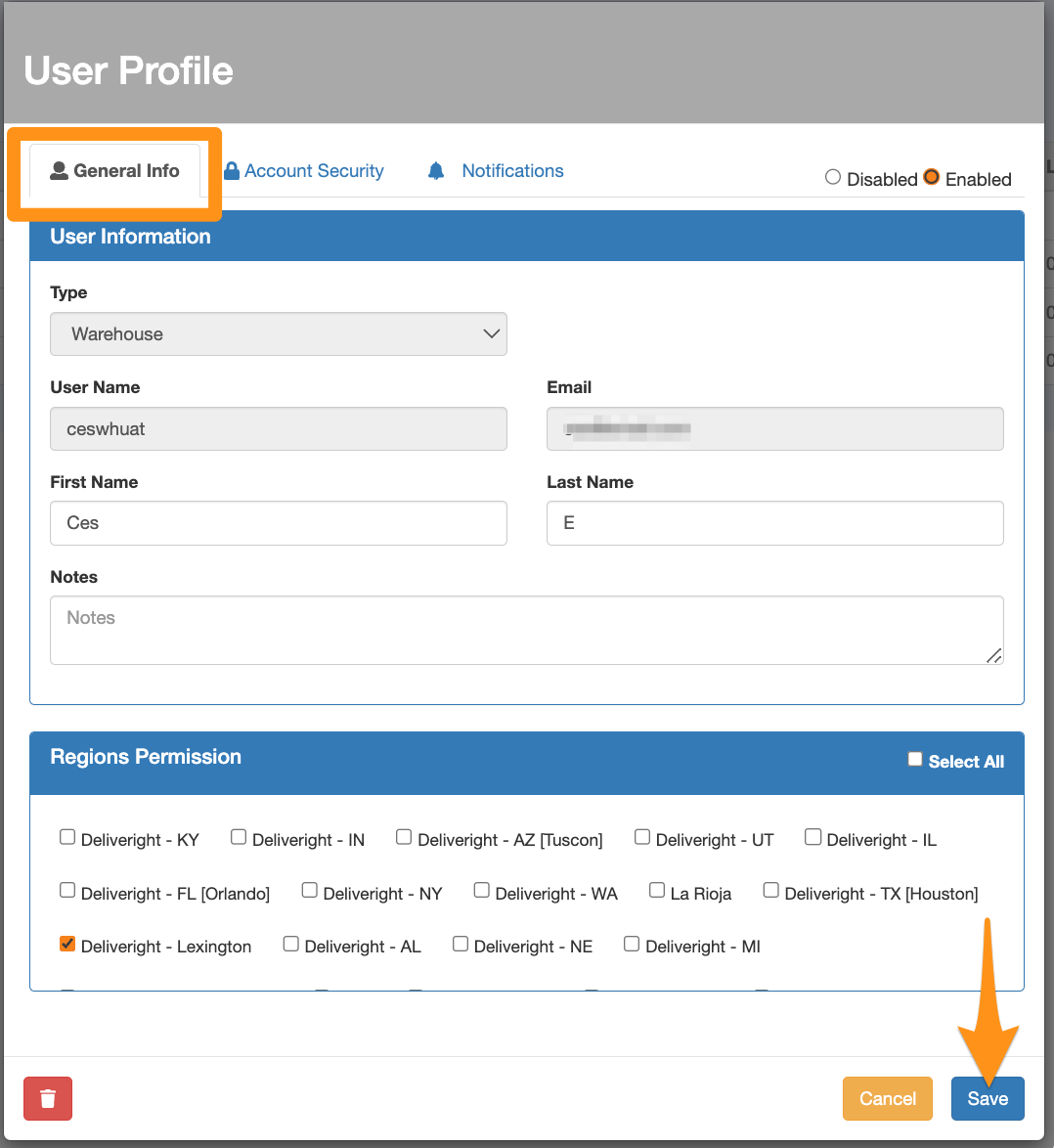
Update User's Access Rights

Was this article helpful?

Still stuck? Submit a ticket. and someone on the team will get back to you.