Help Center Menu
Claims - Grasshopper Labs Help Center
Mobile Apps
Complete Will Call Customer Pick Up (Warehouse)
Process customer pickup orders directly from the warehouse app.
Roles: Mobile Apps

Step 1

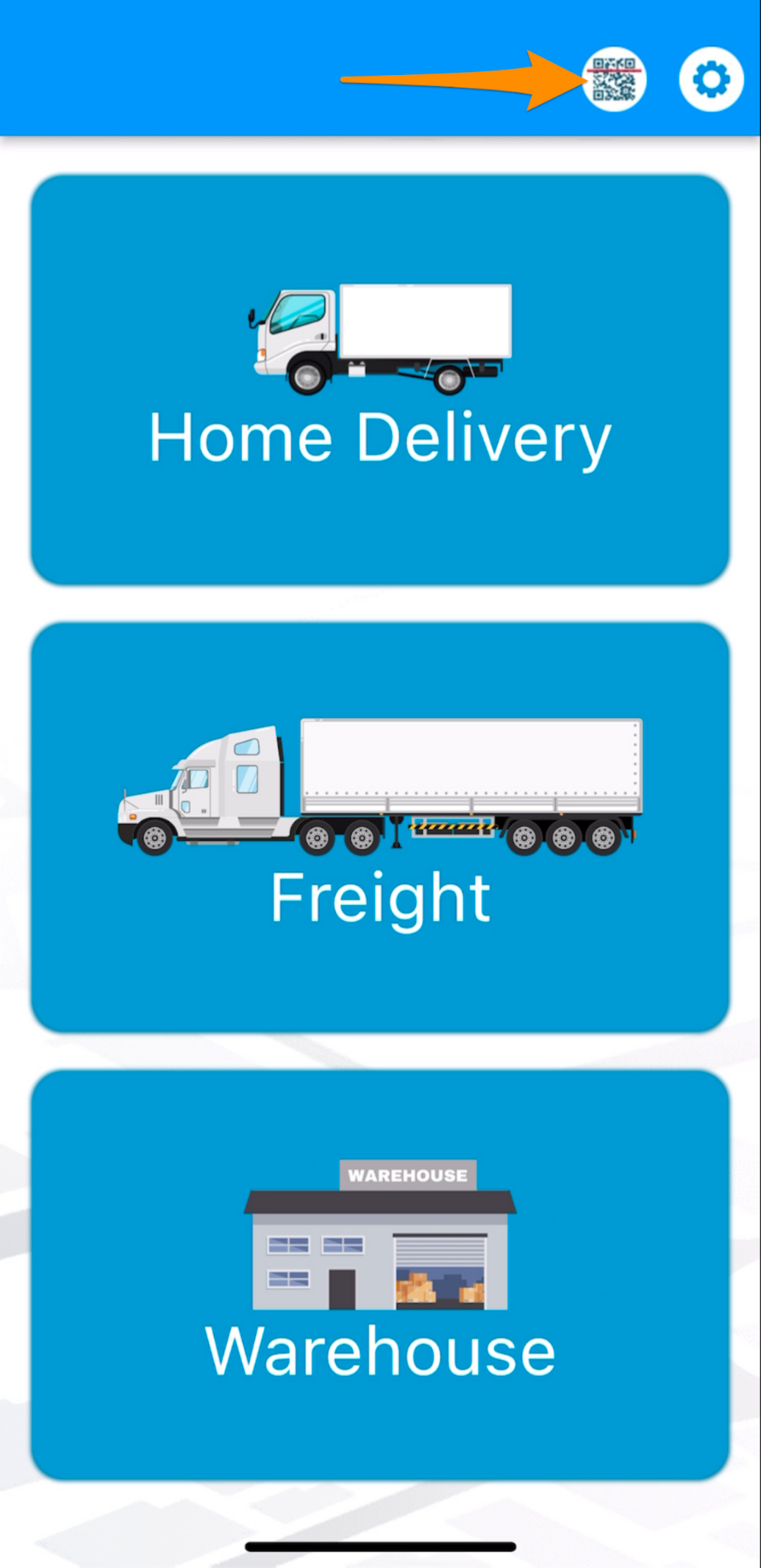
Open the Warehouse Mobile App and tap on the QR / Search Button
Complete Will Call/Customer Pick Up (Warehouse)

Step 2

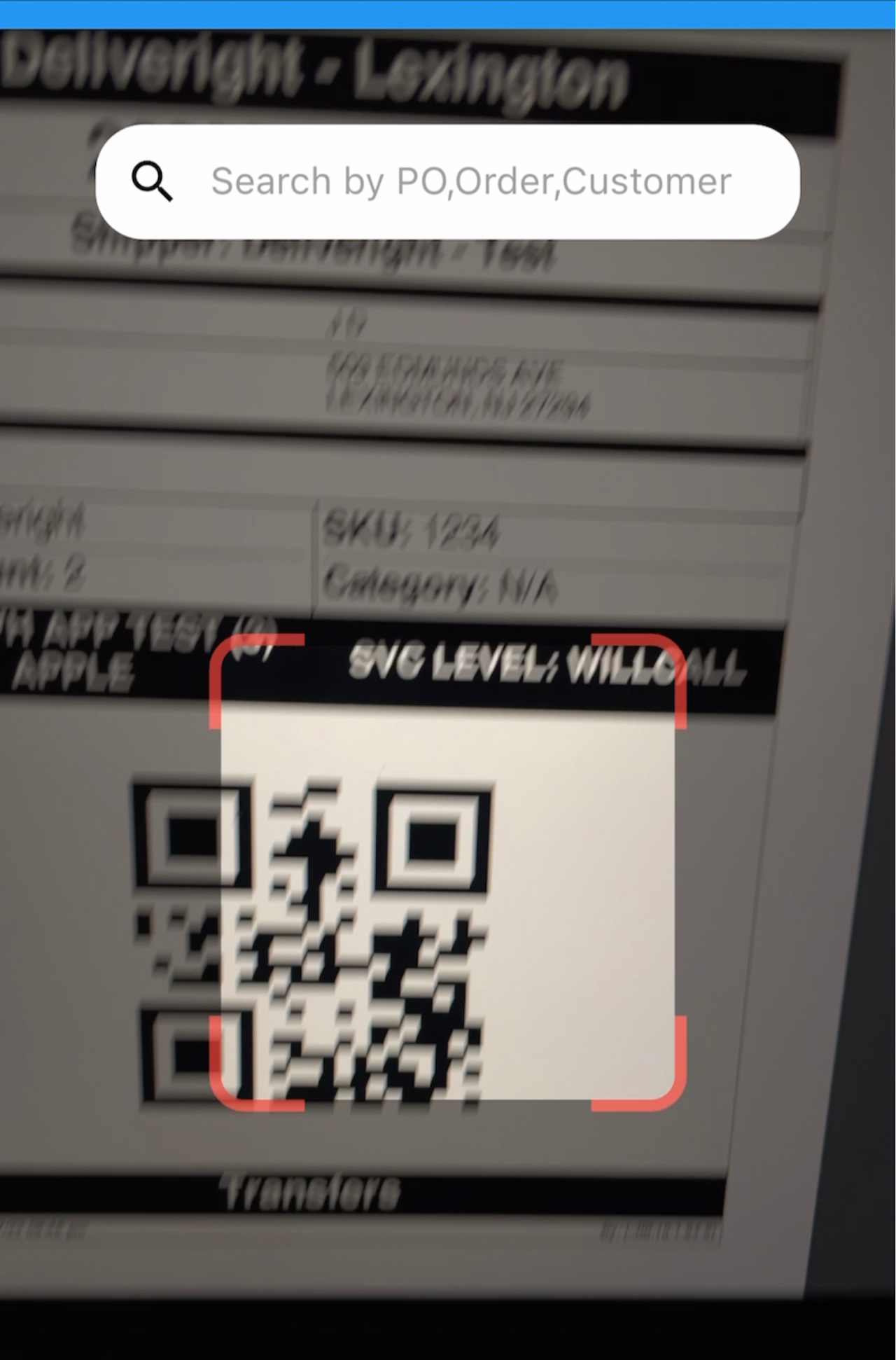
Scan the label/s of the item/s or order
Complete Will Call/Customer Pick Up (Warehouse)

Step 3

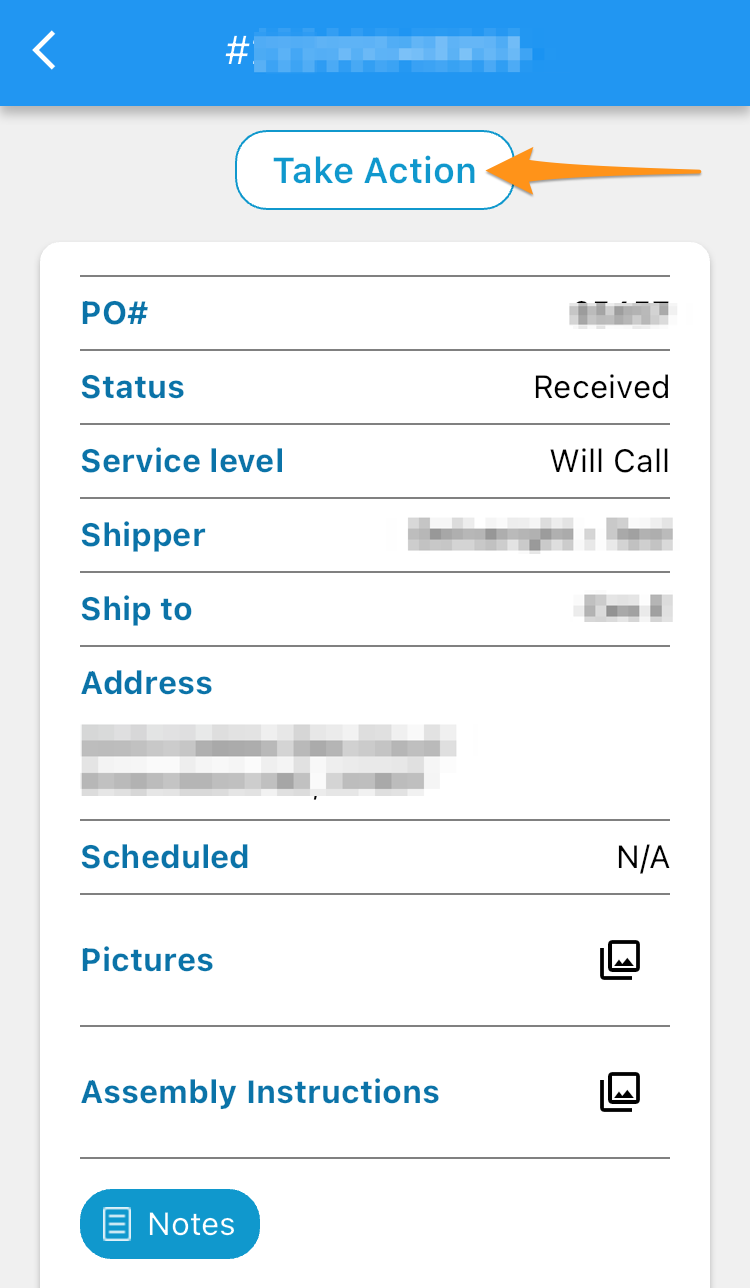
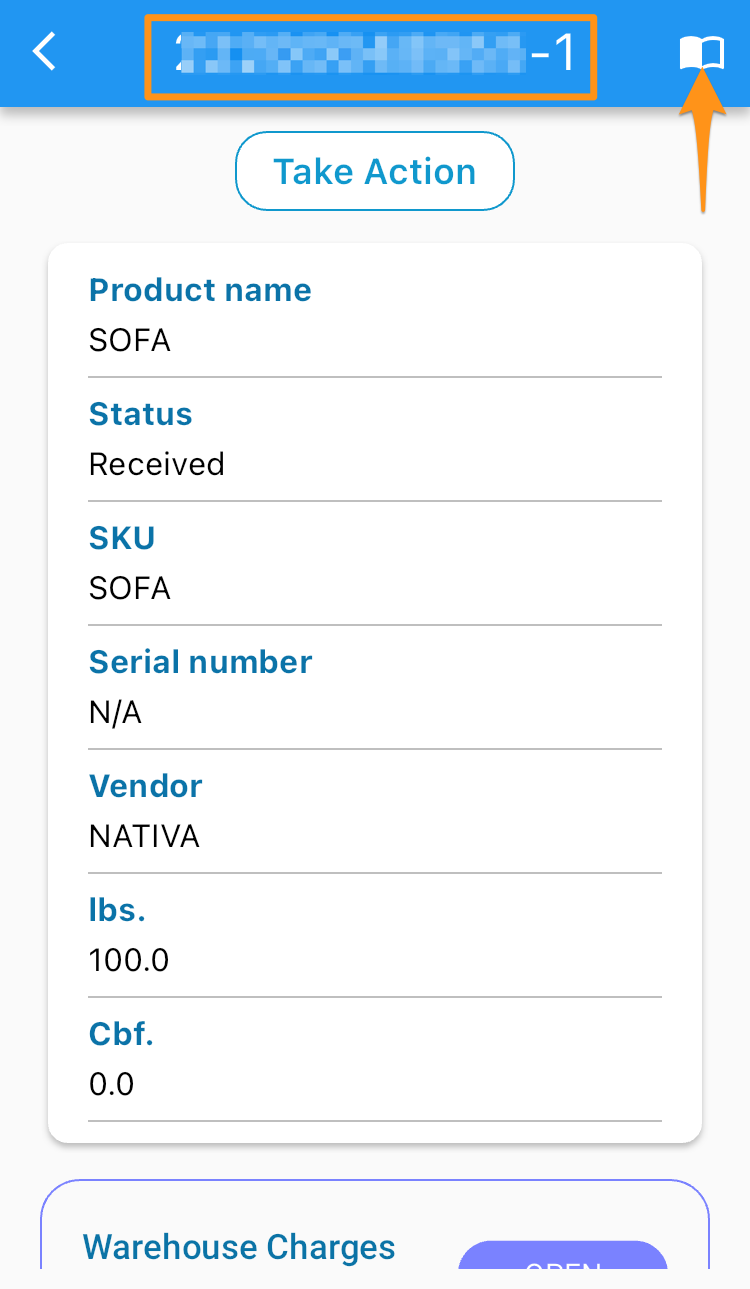
Tap on the upper right corner to lead you to the order screen and select Take Action
Complete Will Call/Customer Pick Up (Warehouse)

Step 4

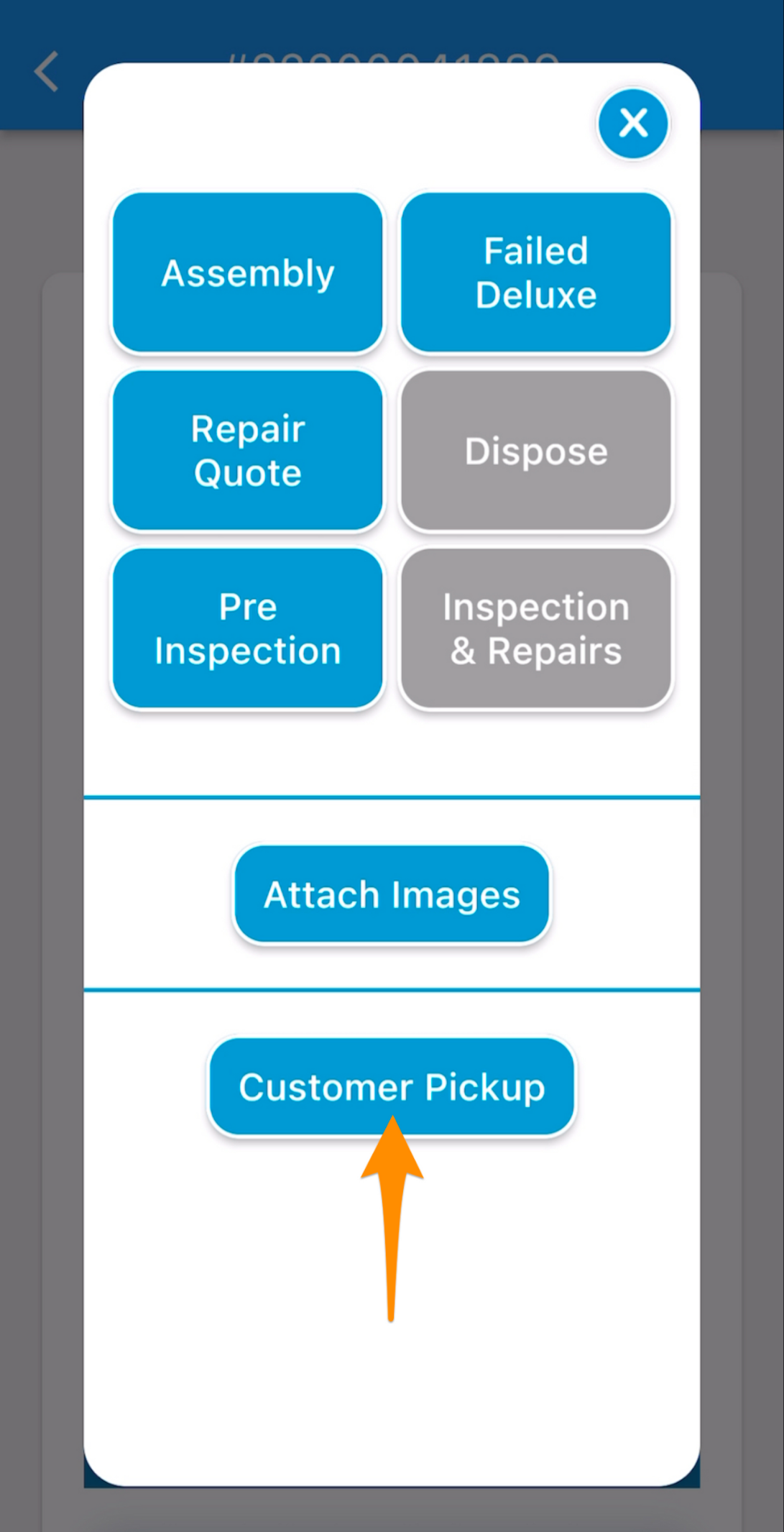
Select Customer Pick Up

Complete Will Call/Customer Pick Up (Warehouse)

Step 5

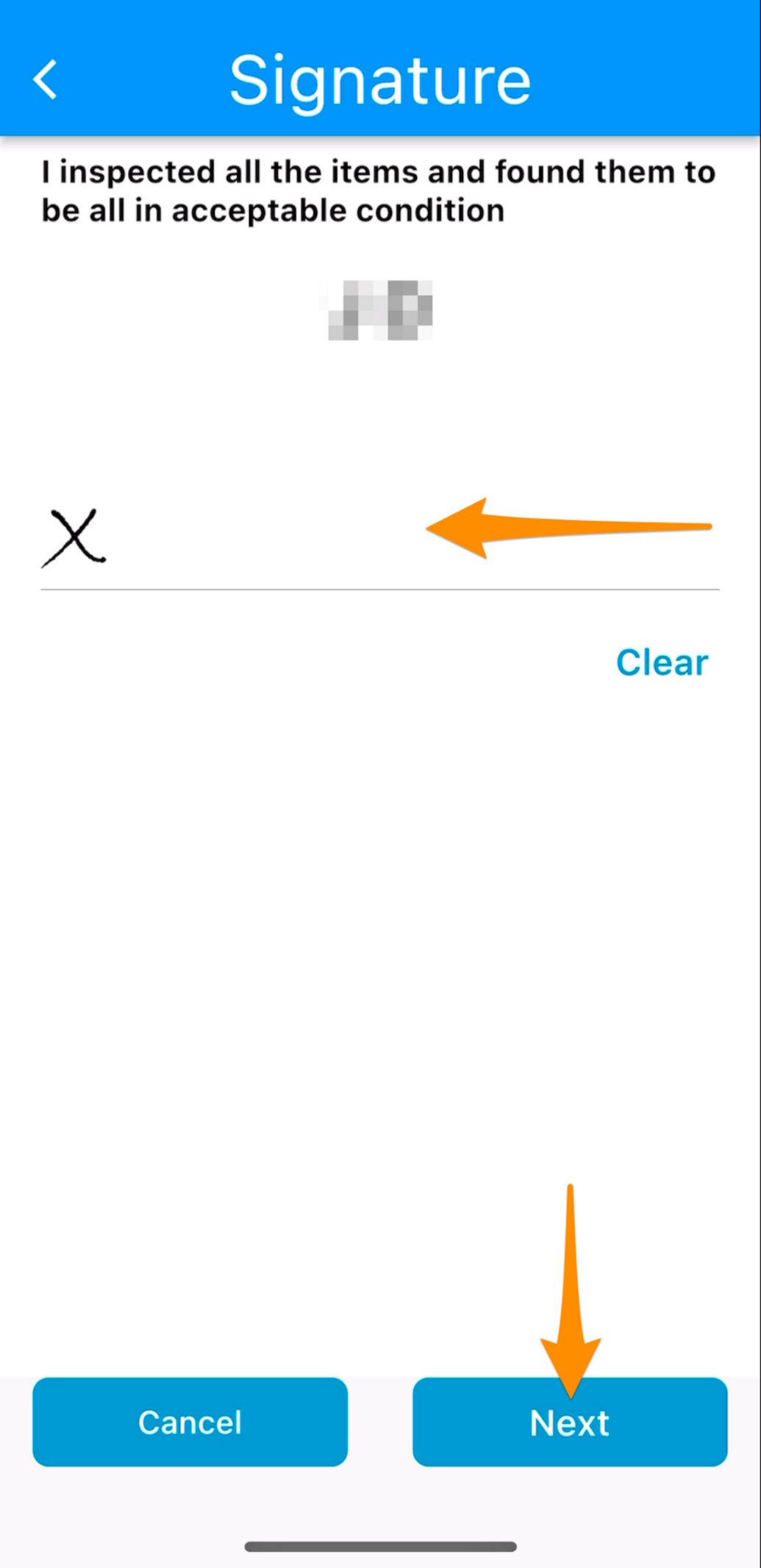
Obtain signature from the customer (or representative) then tap on Next

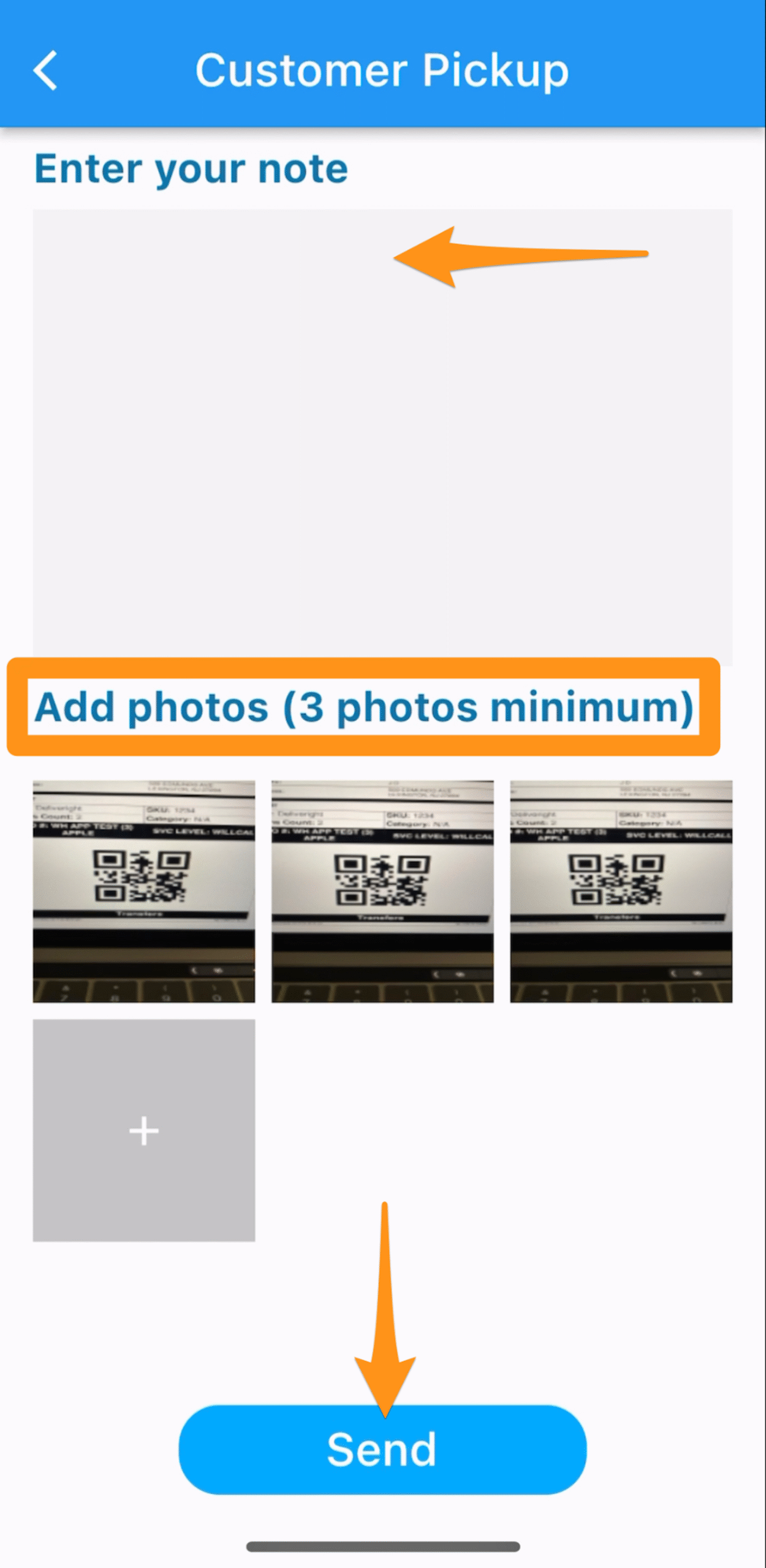
Enter note, Add photos of at least 3 then Send

Warehouse Team to ensure that photos of merchandise being loaded in the vehicle are taken as proof that it has left the warehouse in good condition
Complete Will Call/Customer Pick Up (Warehouse)

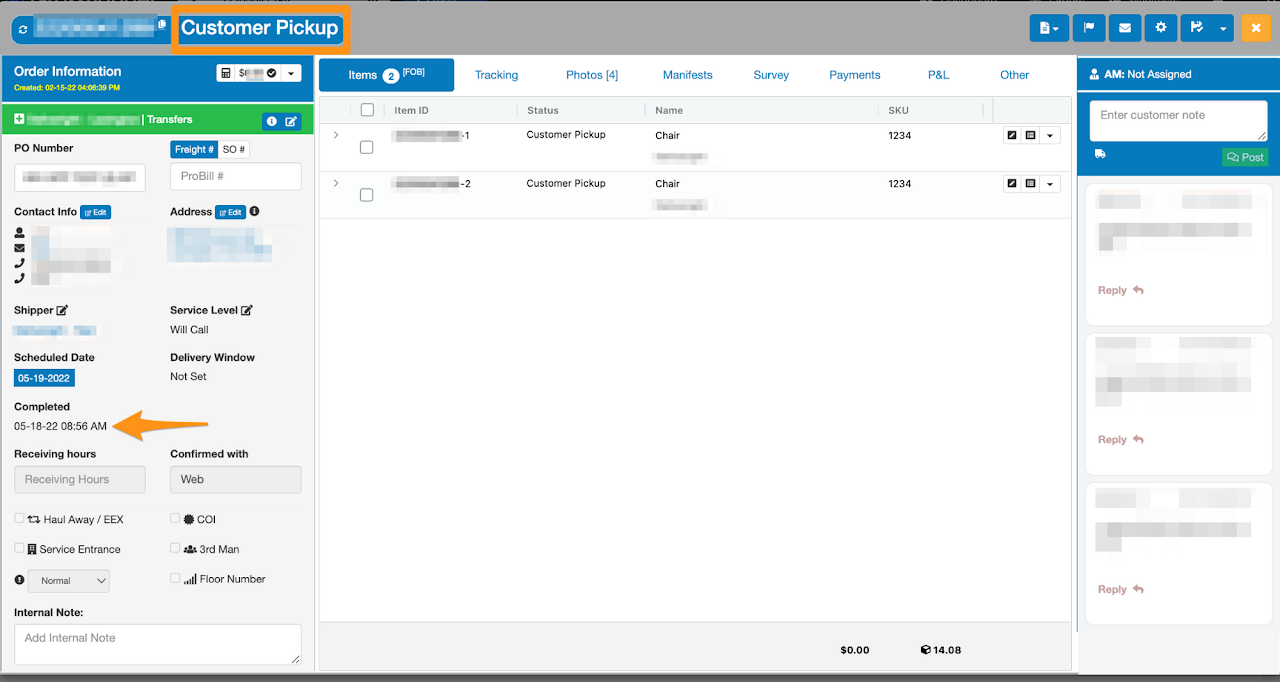
Order has been closed as Customer Pick Up
Complete Will Call/Customer Pick Up (Warehouse)

Was this article helpful?

Still stuck? Submit a ticket. and someone on the team will get back to you.