Step 1
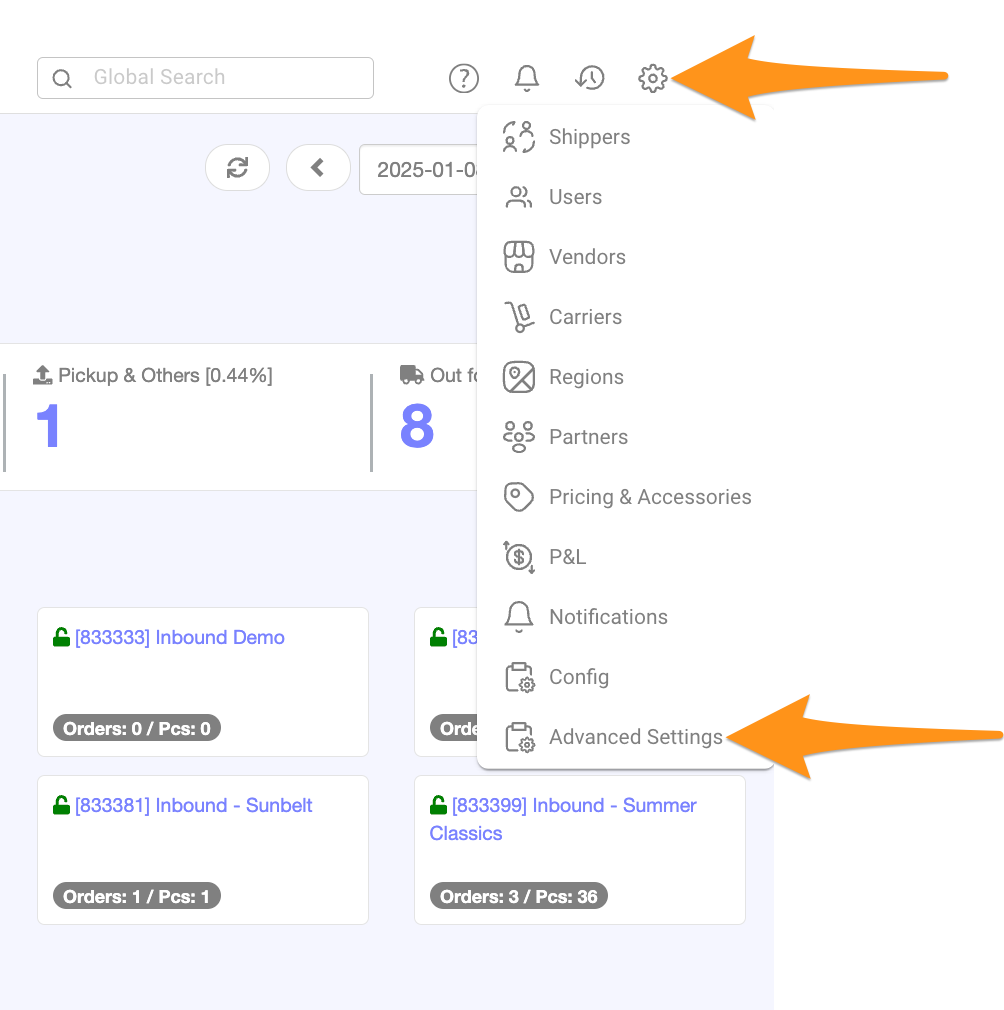
Click the gear icon and choose Advanced Settings
Step 2
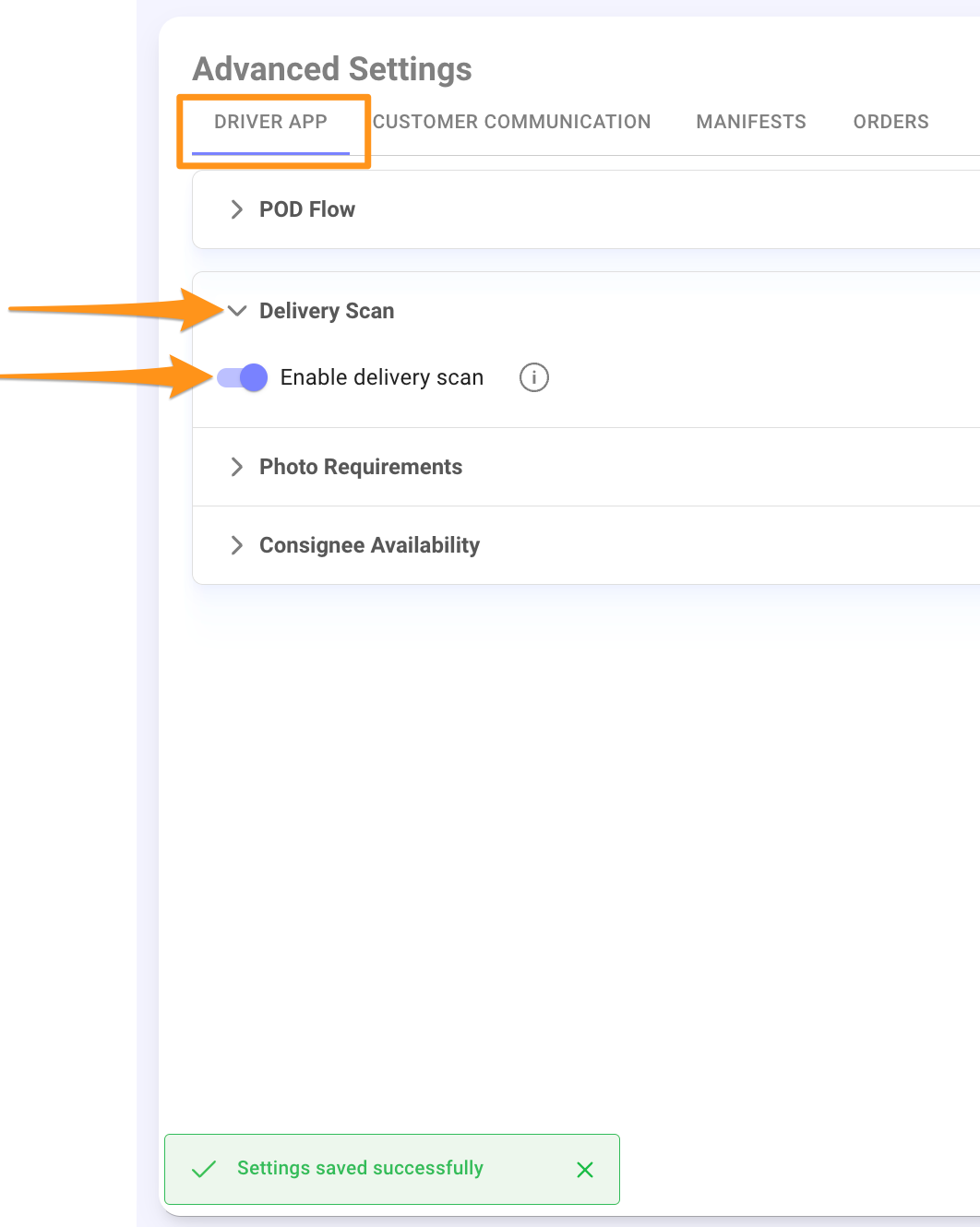
Navigate to the Driver App Tab. Under the Delivery Scan section, click the arrow to expand the menu then toggle Enable Delivery Scan to activate the feature.

Click the gear icon and choose Advanced Settings
Navigate to the Driver App Tab. Under the Delivery Scan section, click the arrow to expand the menu then toggle Enable Delivery Scan to activate the feature.