Step 1
Click the gear icon and select Advanced Settings from the menu
Step 2
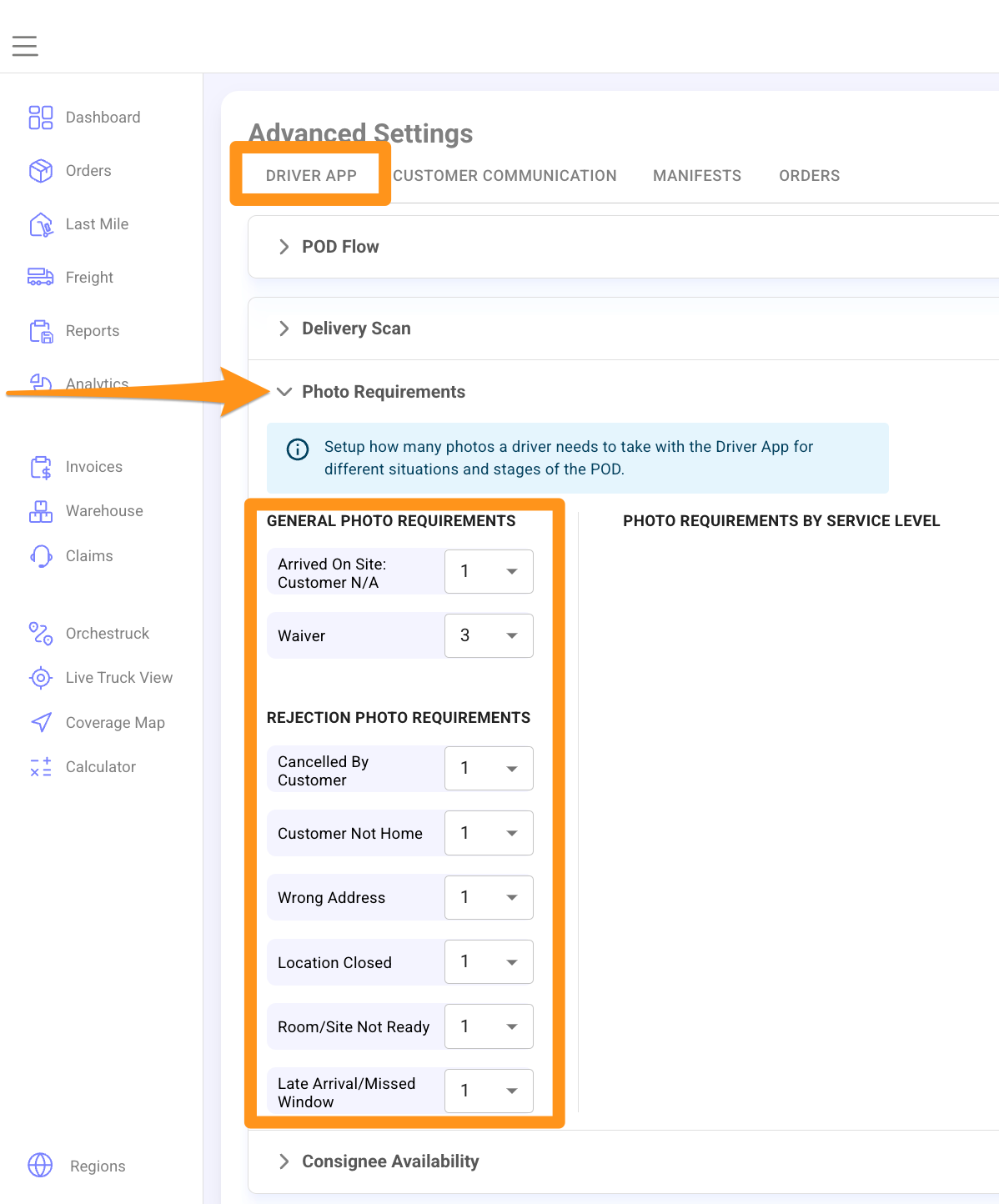
Navigate to the Driver App Tab. Click the dropdown arrow to expand the list of Photo Requirements then enter the desired number of photos based on your preference.

Click the gear icon and select Advanced Settings from the menu
Navigate to the Driver App Tab. Click the dropdown arrow to expand the list of Photo Requirements then enter the desired number of photos based on your preference.