Step 1
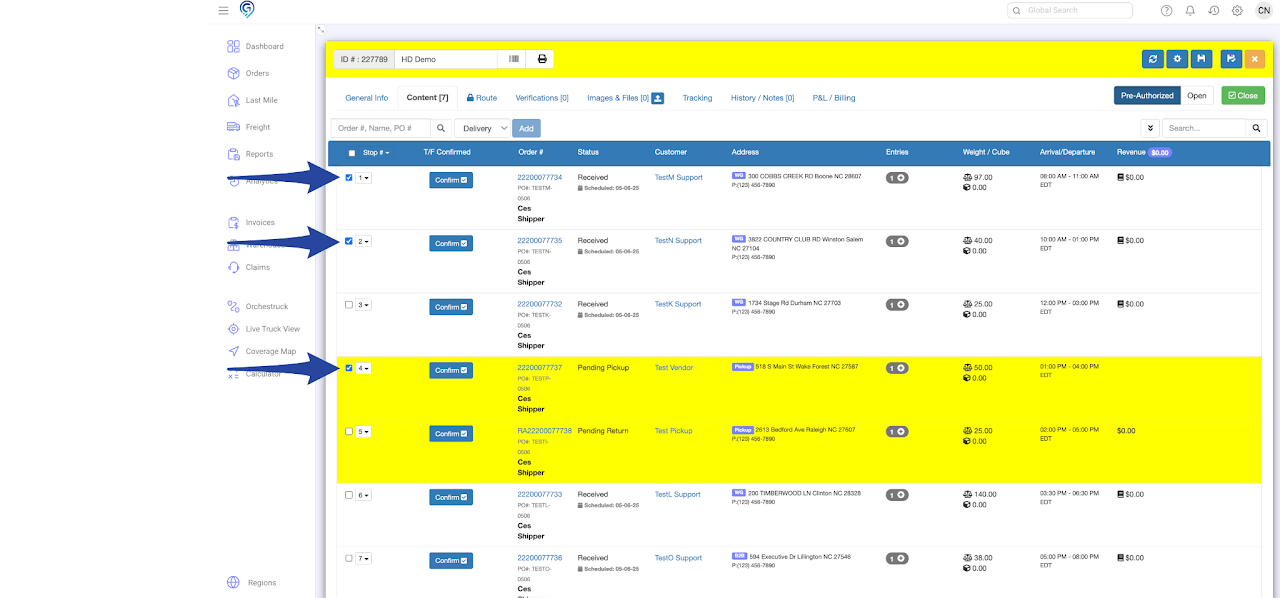
Navigate to the Content tab and select the order(s) you want to move.
Step 2
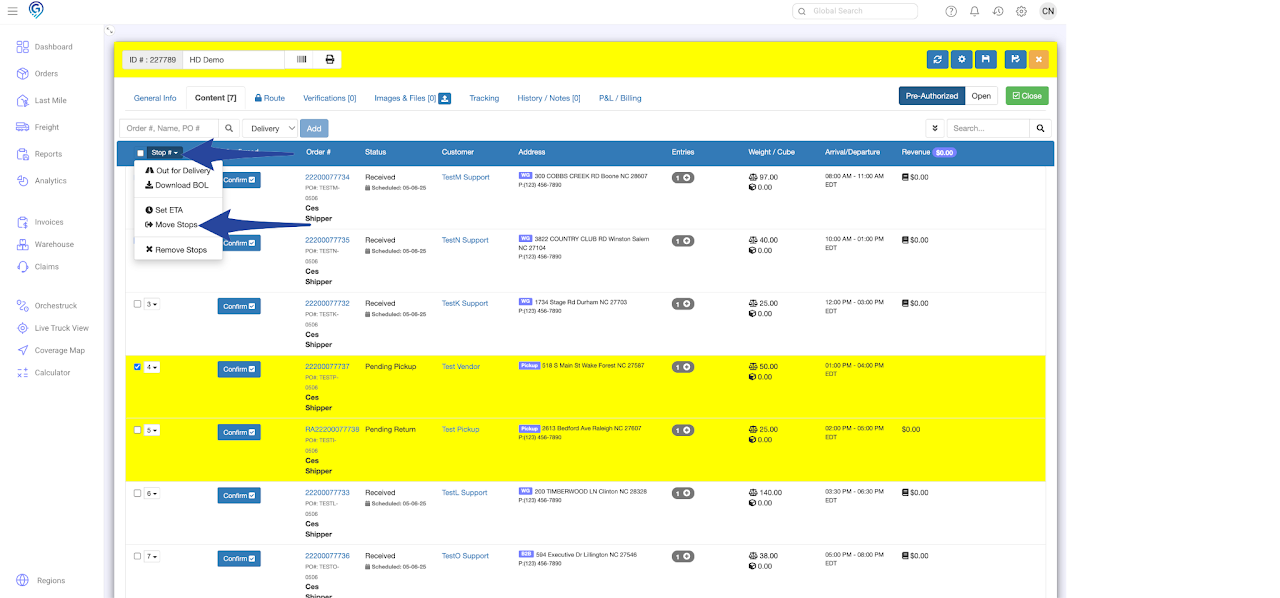
Click the dropdown arrow next to the Stop # and choose Move Stops from the list.
Step 3
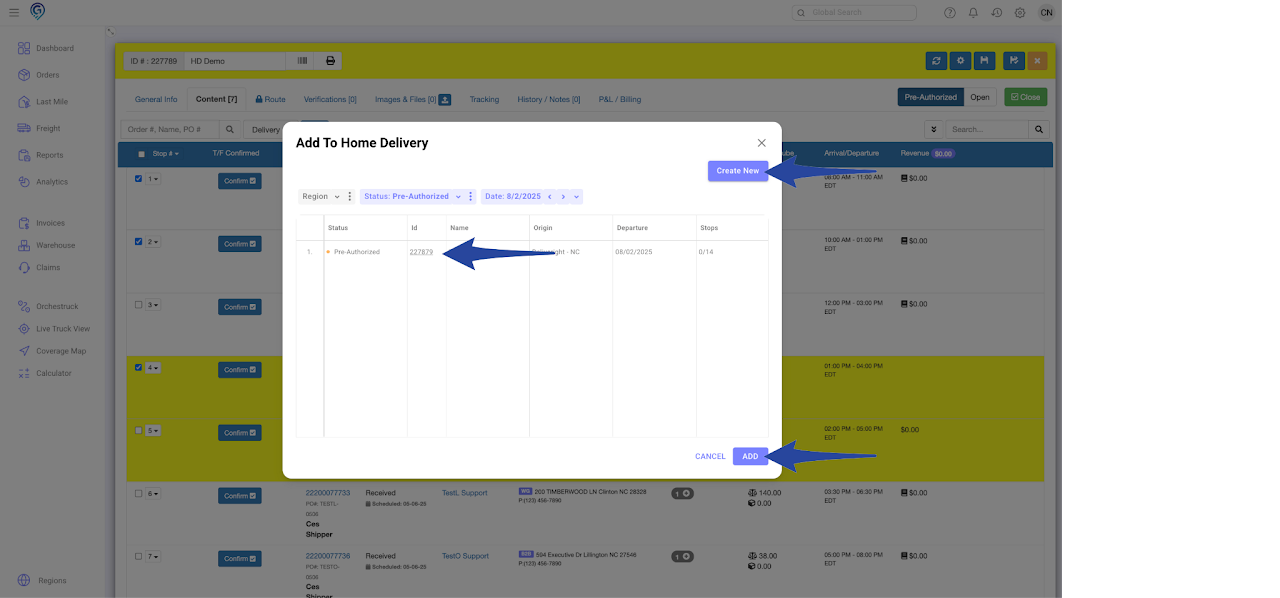
If a destination Last Mile Manifest does nit exist yet, click Create New. Otherwise, select the Last Mile Manifest you want to move the stop(s) to and click Add.
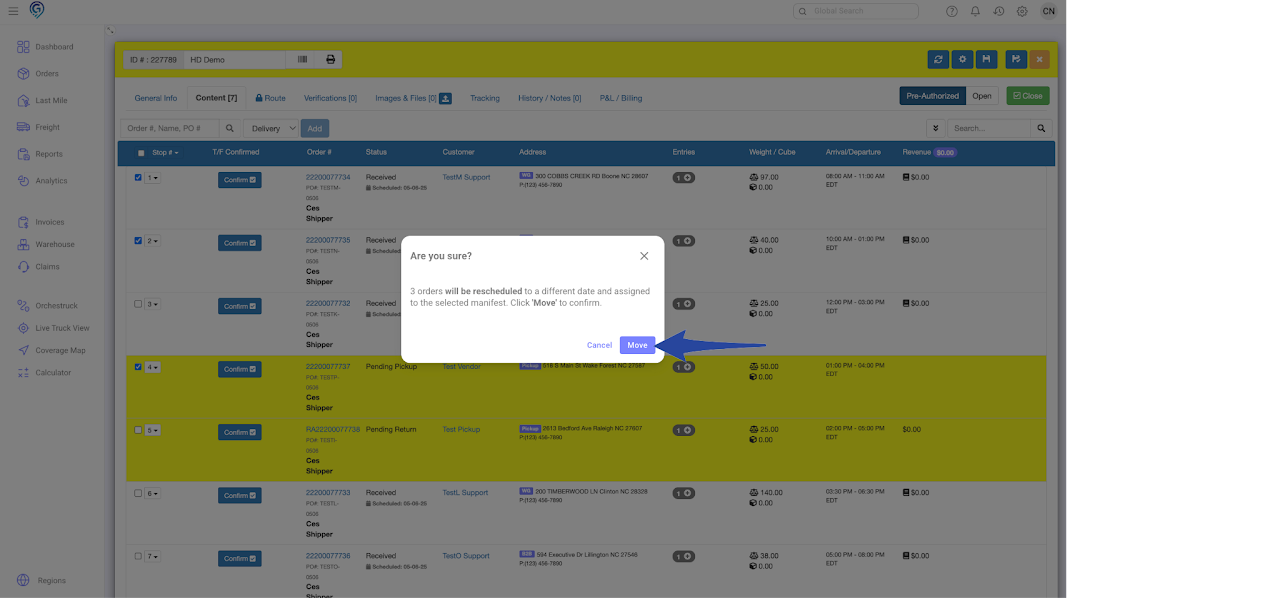
A pop-up message will ask for confirmation. Click Move to proceed.
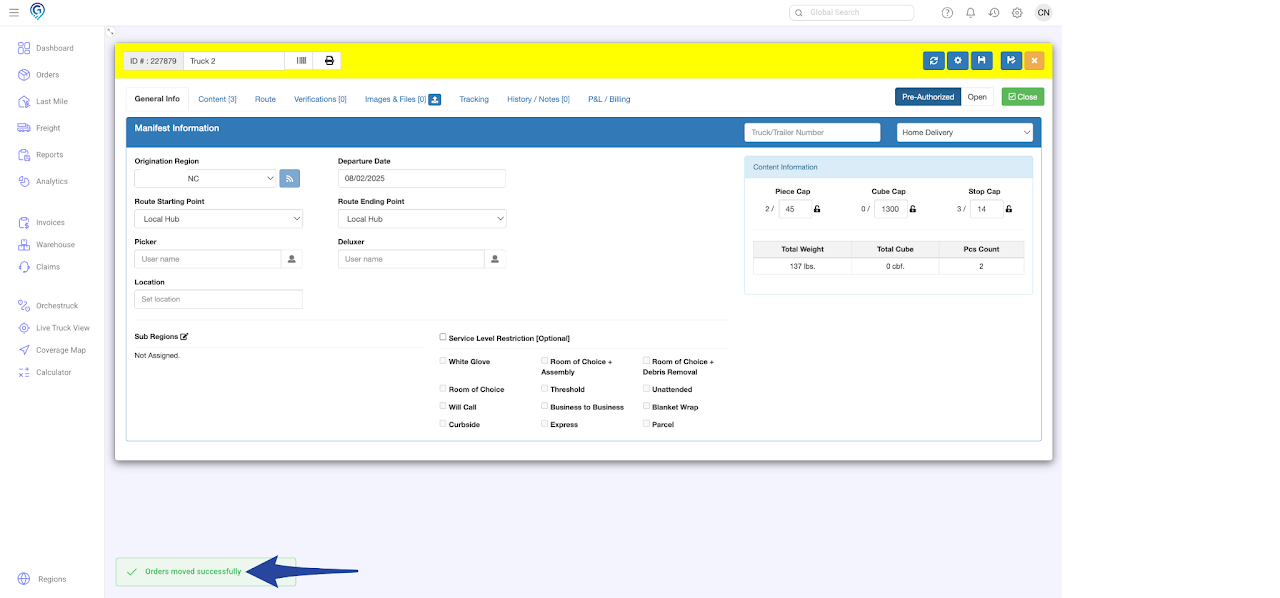
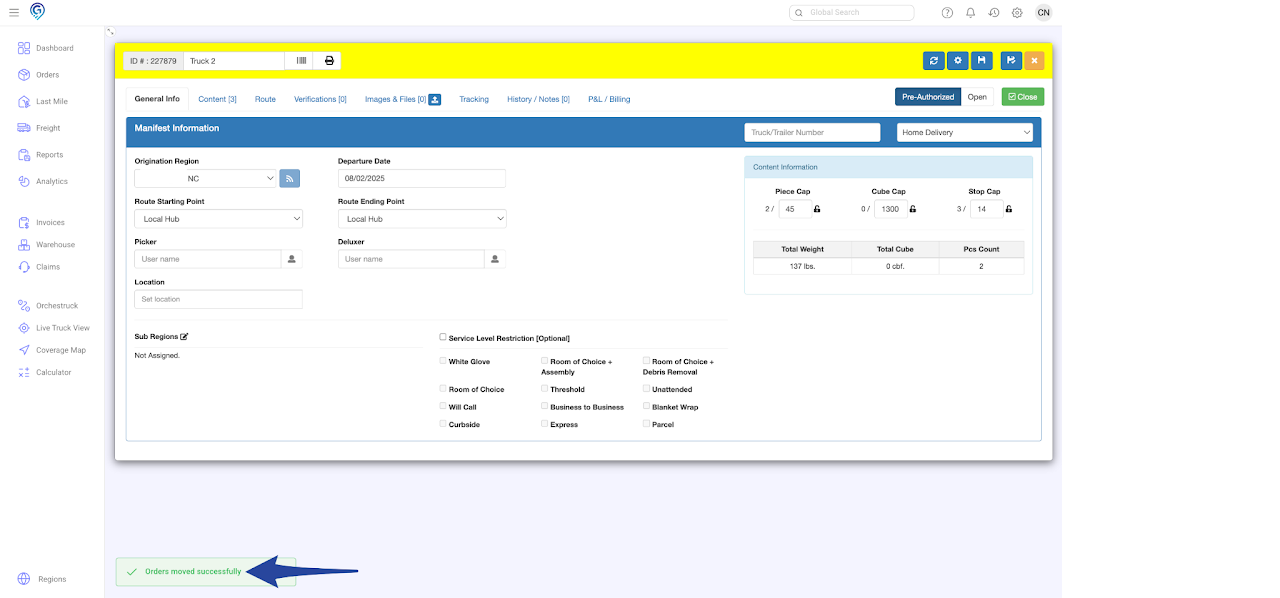
A message will appear at the bottom-left corner of the screen confirming the stops have been successfully moved to the new manifest.
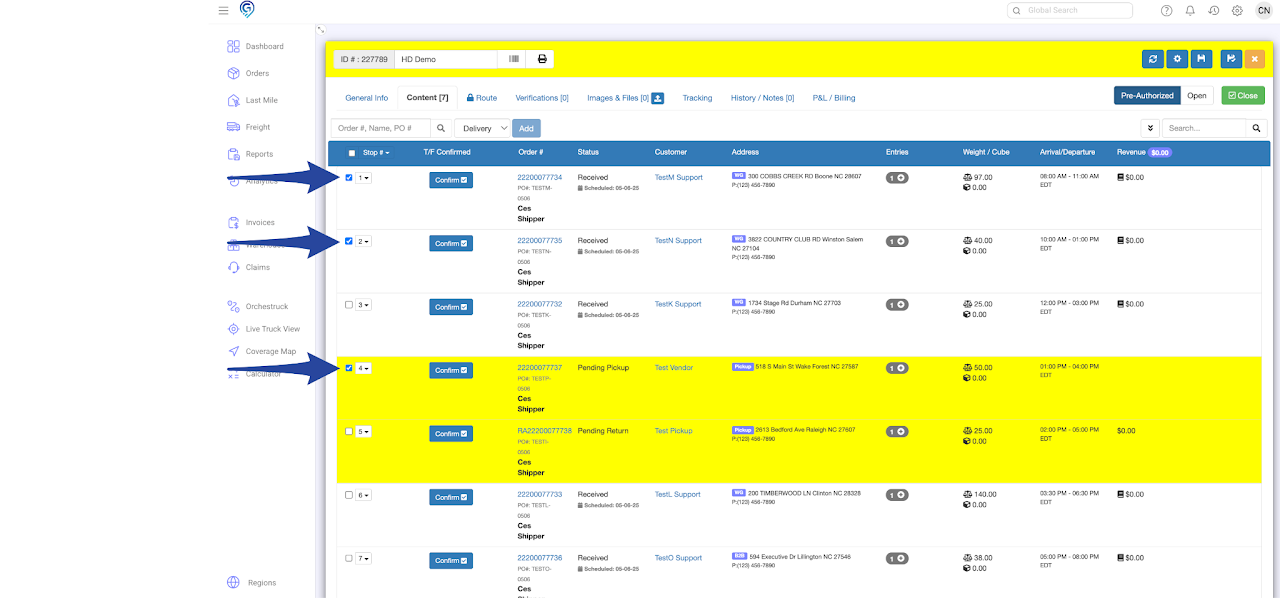
Step 1
Navigate to the Content tab and select the order(s) you want to move.
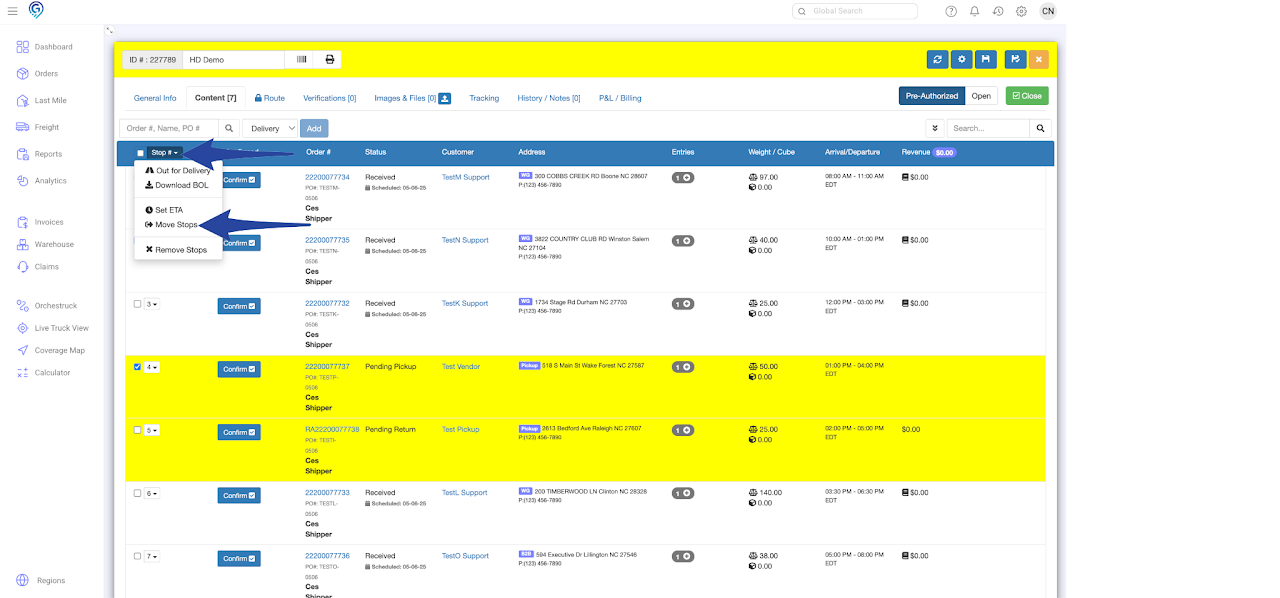
Step 2
Click the dropdown arrow next to the Stop # and choose Move Stops from the list.
Step 3
If a destination Last Mile Manifest does nit exist yet, click Create New. Otherwise, select the Last Mile Manifest you want to move the stop(s) to and click Add.
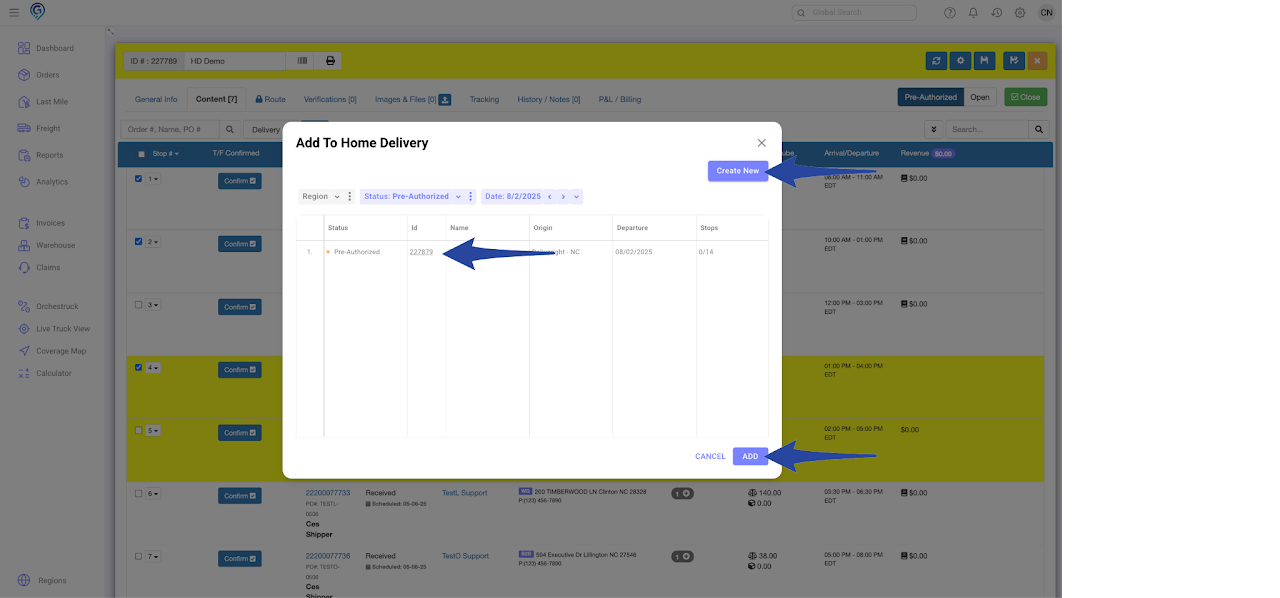
A pop-up message will ask for confirmation. Click Move to proceed.
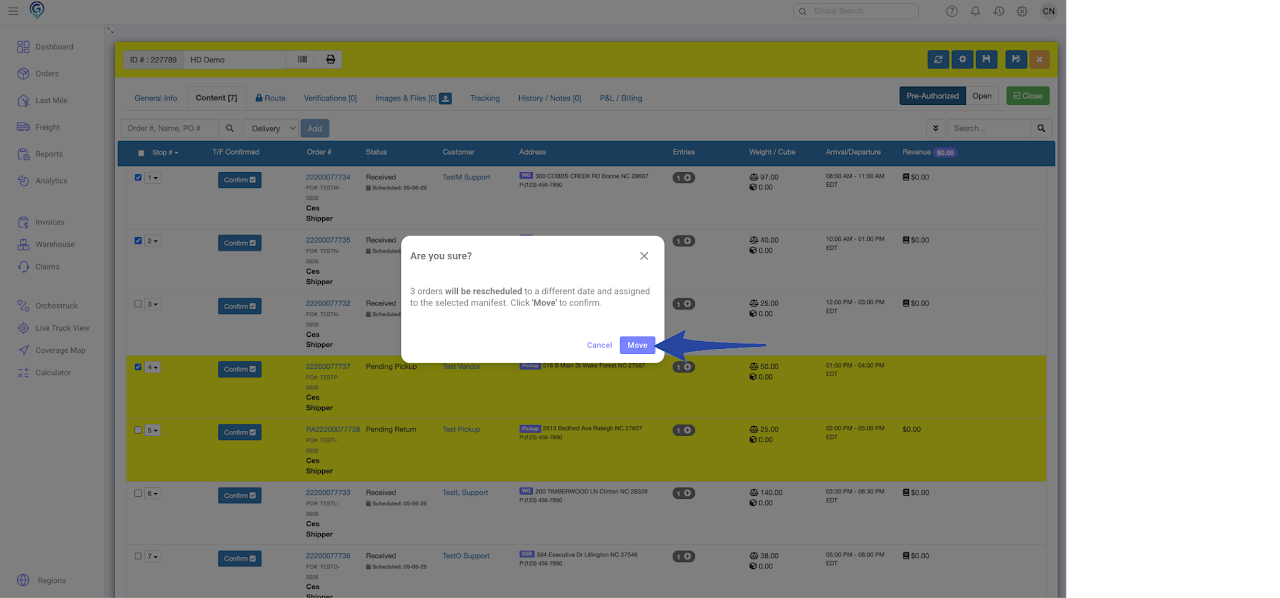
A message will appear at the bottom-left corner of the screen confirming the stops have been successfully moved to the new manifest.